
MiroCart WordPress Plugin - WooCommerce Cart Recovery
- Recovery emails
- WhatsApp follow-up
Recover abandoned WooCommerce carts with automated email sequences and one-click WhatsApp follow-up — plus COD confirmation tools for stores that sell on chat.
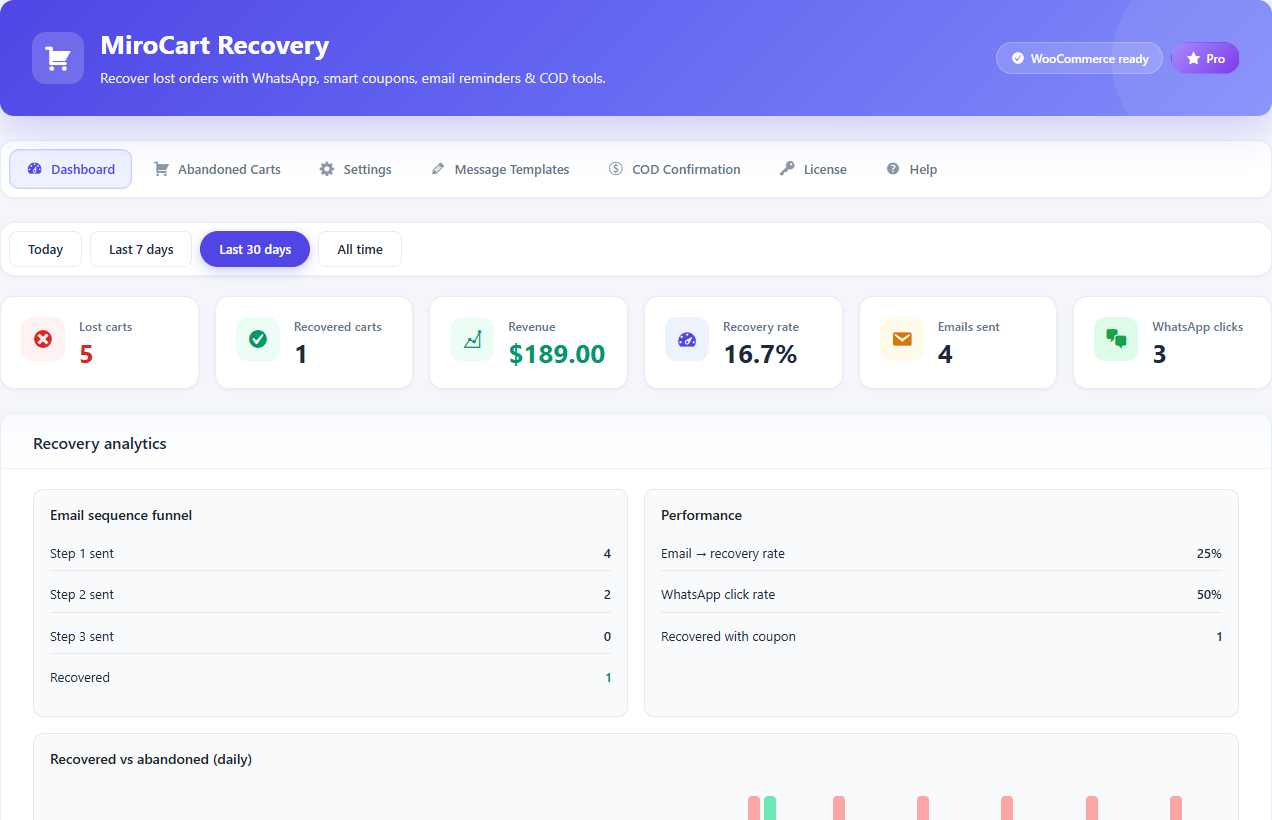
WooCommerce stores lose revenue every day from abandoned carts and missed follow-ups. MiroCart tracks carts, sends recovery emails, and gives you WhatsApp click-to-chat from admin.
- 3-step recovery email sequences
- WhatsApp click-to-chat (manual send)
- COD confirmation tools
- 6 languages · HPOS compatible
Highlights
- Automated email recovery sequences
- One-click WhatsApp click-to-chat follow-up
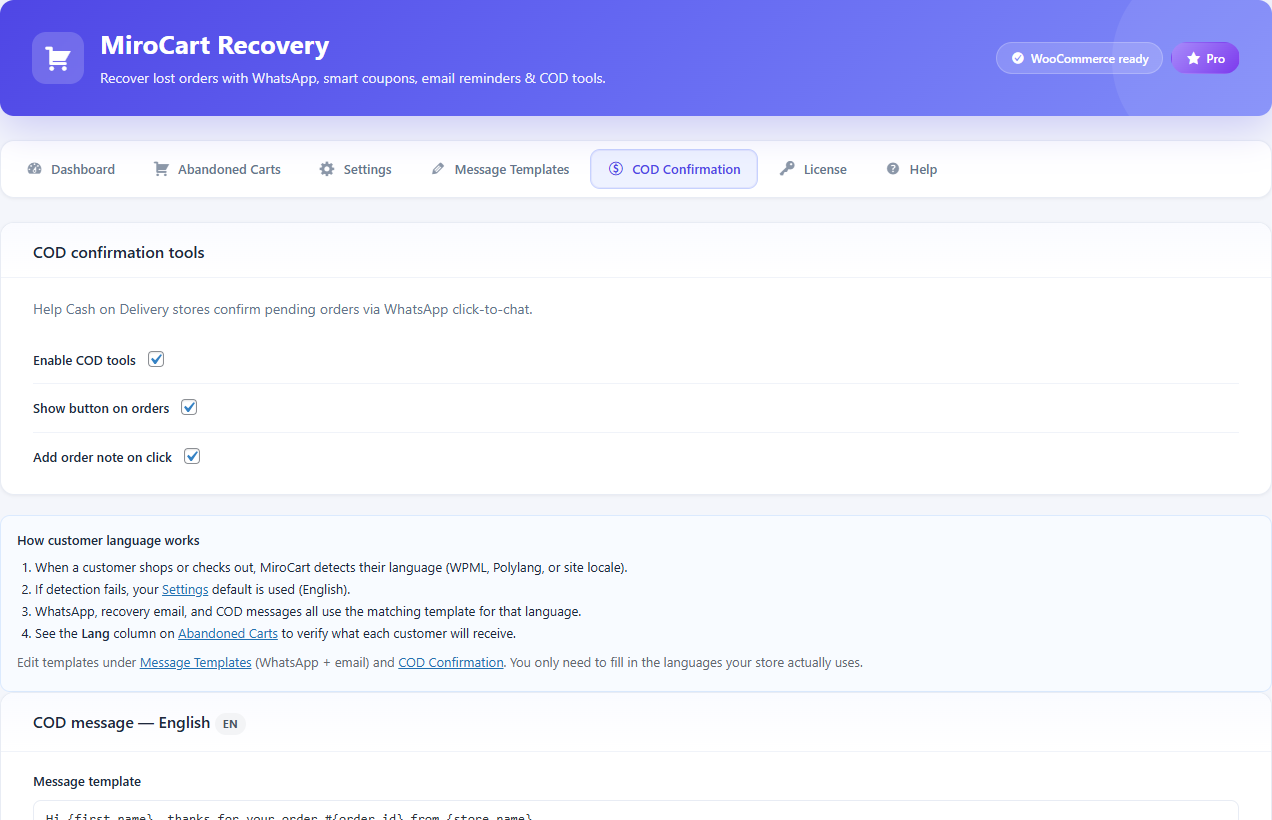
- COD confirmation tools
- Built specifically for WooCommerce stores
Log in to the locked demo. Browse the plugin UI with sample data — saves, uploads, and installs are blocked.
1 / 5
What is MiroCart Recovery and how does WooCommerce abandoned cart recovery work?
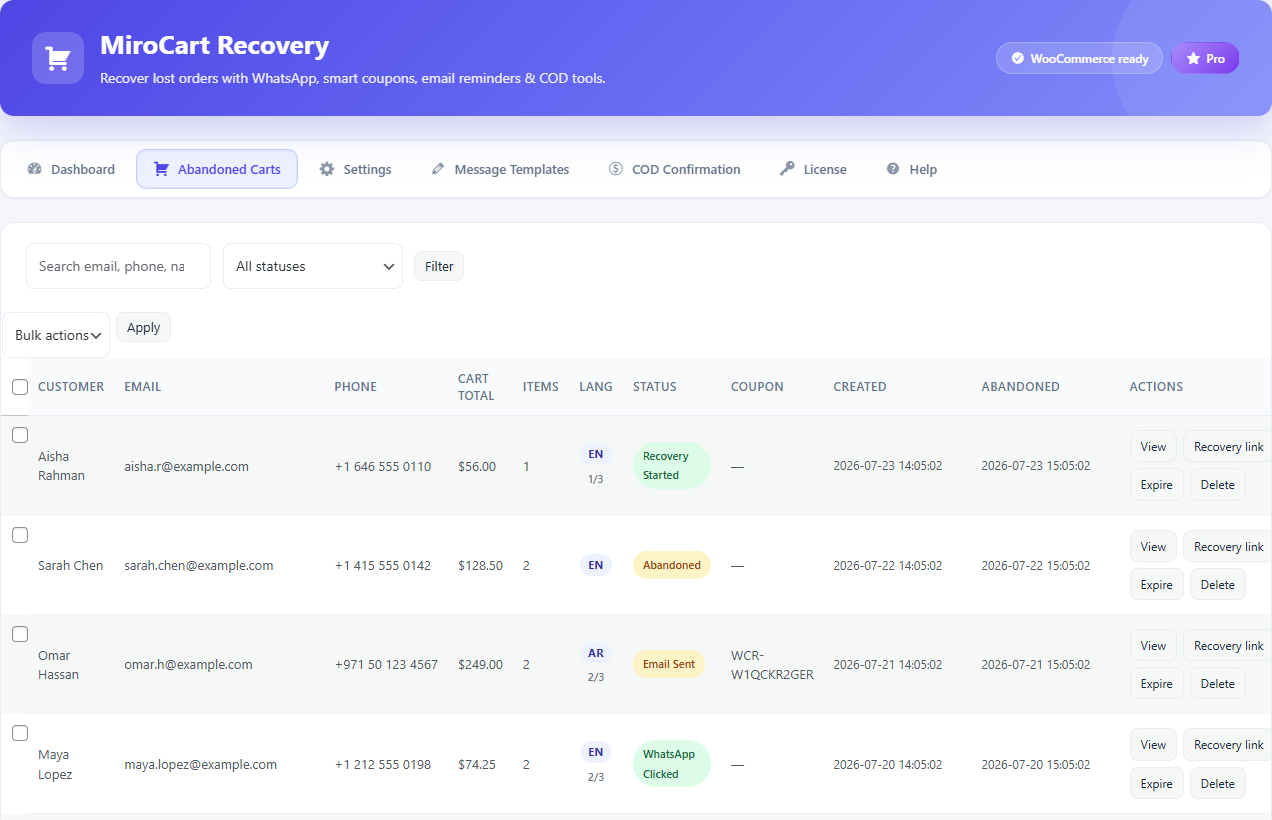
MiroCart Recovery is a WordPress plugin for WooCommerce that tracks when shoppers add products or reach checkout but leave without paying. After a configurable delay, the cart is marked abandoned and MiroCart Recovery can send up to three automated recovery emails with optional coupons, secure one-click cart restore links, WhatsApp click-to-chat from your admin, and COD confirmation tools — all inside WordPress with no monthly SaaS fee.
How much does MiroCart Recovery cost? Is there a monthly subscription?
MiroCart Recovery is a one-time purchase, not a subscription. Choose Starter ($39 for 1 site), Pro ($59 for 3 sites), or Agency ($99 for 10 sites). Every tier includes the full feature set: abandoned cart tracking, 3-step email sequences, WhatsApp click-to-chat, COD tools, analytics, and six language templates.
Does MiroCart Recovery send WhatsApp messages automatically?
No — and that is intentional. MiroCart Recovery uses WhatsApp click-to-chat, not the WhatsApp Business API. You open a pre-filled message from the WooCommerce admin for an abandoned cart or COD order, review it, and send manually from your phone or WhatsApp Web. This avoids API costs, approval delays, and template restrictions while still letting you recover carts on the channel your customers actually use.
Is MiroCart Recovery good for Arabic stores and MENA WooCommerce shops?
Yes. MiroCart Recovery was built with MENA merchants in mind. It includes Arabic email templates with optional RTL formatting, multilingual checkout detection, and WhatsApp workflows suited to markets where customers expect personal follow-up. Stores running Cash on Delivery, Gulf or North African audiences, and bilingual Arabic/English catalogs are a strong fit.
Can I use MiroCart Recovery with Cash on Delivery (COD) orders?
Yes. MiroCart Recovery includes a COD Confirmation tab in the admin. You can send WhatsApp-style confirmation messages for Cash on Delivery orders to reduce no-shows, confirm addresses, and improve order completion — alongside standard abandoned cart recovery for the rest of your catalog.
Which languages does MiroCart Recovery support for recovery emails?
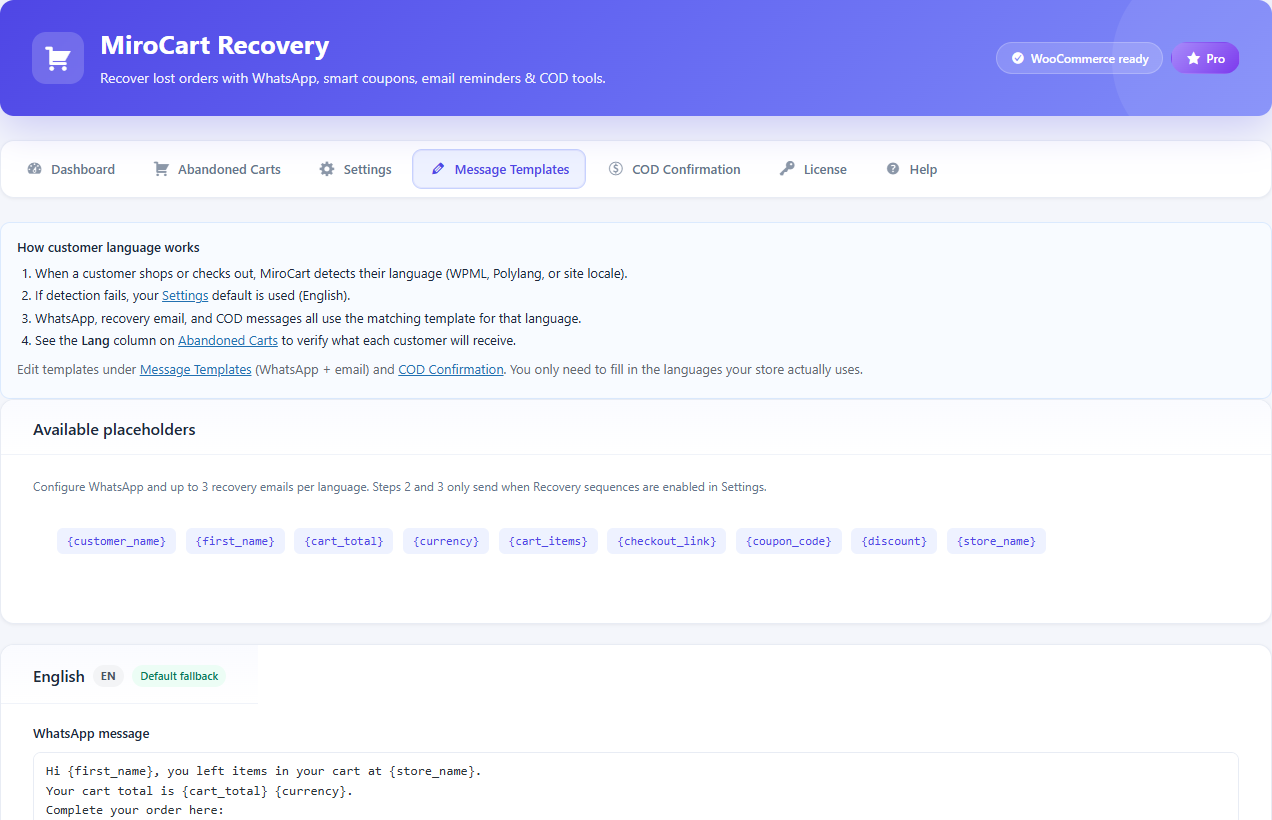
MiroCart Recovery ships with editable email templates in English, Arabic, French, Spanish, Turkish, and German. Checkout language is detected automatically and shown in the Lang column on each abandoned cart. When WPML or Polylang is active, the matching template is used so customers receive recovery emails in their language.
Does MiroCart Recovery work with WPML, Polylang, and multilingual WooCommerce?
Yes. MiroCart Recovery detects checkout language via WPML, Polylang, or your site locale and stores it on each abandoned cart record. Recovery emails pull from the correct language template when available, which is essential for stores selling in Arabic, French, or multiple regional markets from one WooCommerce install.
Is MiroCart Recovery compatible with WooCommerce HPOS and block checkout?
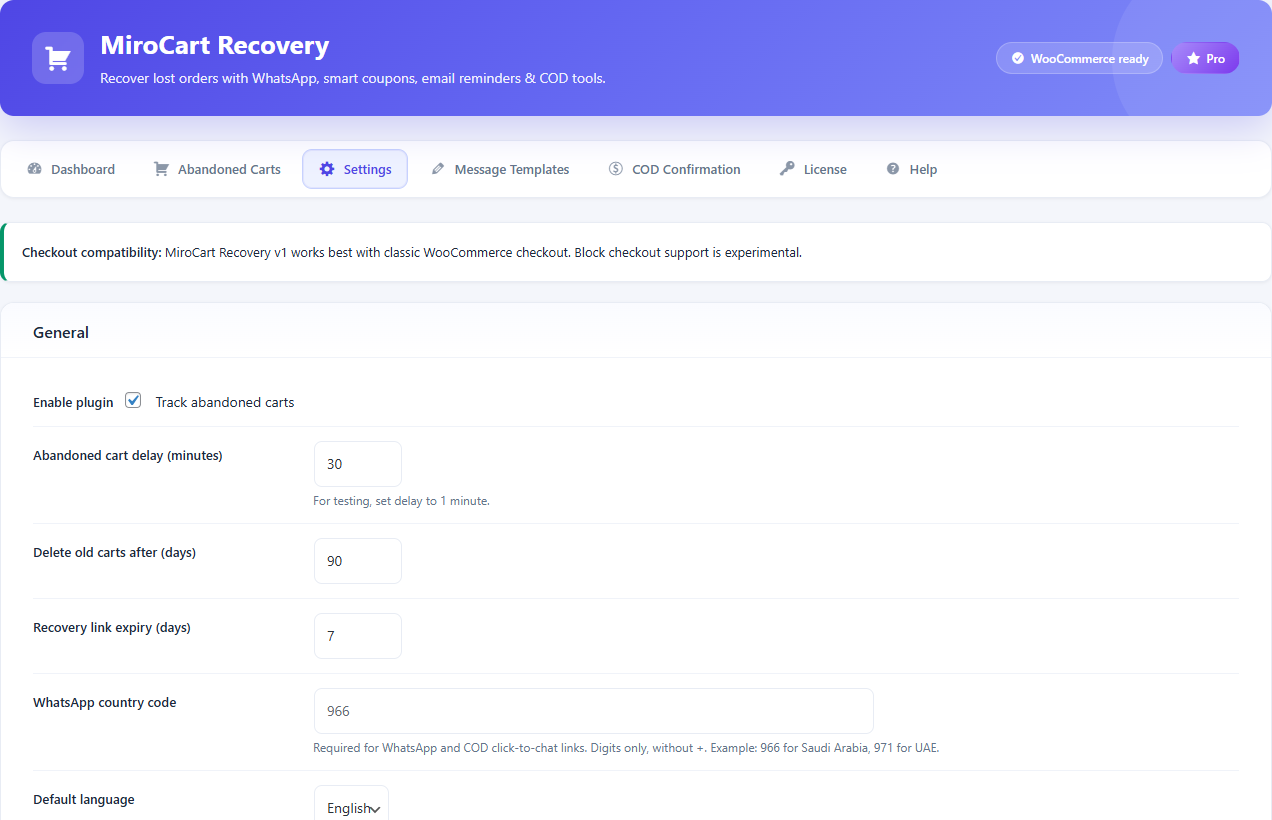
MiroCart Recovery is HPOS (High-Performance Order Storage) compatible and works with WooCommerce 7.0 and WordPress 5.8 or newer. Classic WooCommerce checkout is recommended for the most reliable cart tracking. Block checkout support is experimental — use classic checkout on production stores until you have verified tracking in your environment.
How do I install and set up MiroCart Recovery on WordPress?
After purchase, download the plugin ZIP from MiroSeo, go to Plugins → Add New → Upload Plugin, install, and activate. Open WooCommerce → MiroCart Recovery and complete the setup checklist: configure abandon delay, review email templates, set your default country code for WhatsApp, and send a test recovery email. Full step-by-step instructions are in the MiroCart Recovery documentation.
Why are my abandoned cart recovery emails delayed or not sending?
MiroCart Recovery schedules follow-up emails through WP-Cron. On low-traffic stores, cron may not run until someone visits the site, which delays sends. For production WooCommerce stores, configure a real server cron job to hit wp-cron.php every few minutes. Also confirm your abandon delay has passed, the cart is marked abandoned, and your SMTP or mail plugin is delivering mail reliably.
Do I need an SMTP plugin for MiroCart Recovery recovery emails?
Strongly recommended. WordPress default wp_mail() often lands in spam or fails on shared hosting. Pair MiroCart Recovery with a trusted SMTP plugin or transactional email service (SendGrid, Brevo, Amazon SES, etc.) so recovery sequences actually reach inboxes — especially important for cart recovery where timing matters.
What is MiroCart Recovery's refund policy?
Contact info@miroseo.com within 14 days of purchase if MiroCart Recovery does not work as described on a compatible WordPress and WooCommerce setup. We troubleshoot first — most issues are SMTP, cron, or theme conflicts. Refund eligibility follows our store terms for valid technical or billing problems on supported environments.
Each license grants use on the number of WordPress sites listed in your plan. Redistribution, resale, or sharing license keys is not permitted unless your tier explicitly allows agency/client use.
- One-time payment — no recurring subscription unless stated otherwise
- Lifetime updates for the major version purchased
- Support via email on business days
- Refunds within 14 days if the product does not work on a supported stack
Changelog
v1.2.0 2026-02
- HPOS compatibility verified
- Arabic RTL email improvements
v1.1.0 2025-11
- COD confirmation tools
- Recovery analytics dashboard
| WordPress | 5.8+ |
|---|---|
| PHP | 7.4+ |
| WooCommerce | 7.0+ |
| HPOS | Compatible |