Search Console sent you the email: “Core Web Vitals: URLs are poor.” You opened PageSpeed Insights, saw a red score, and immediately wondered if you need a new theme, a new host, or a new career.
Probably none of the above — at least not yet.
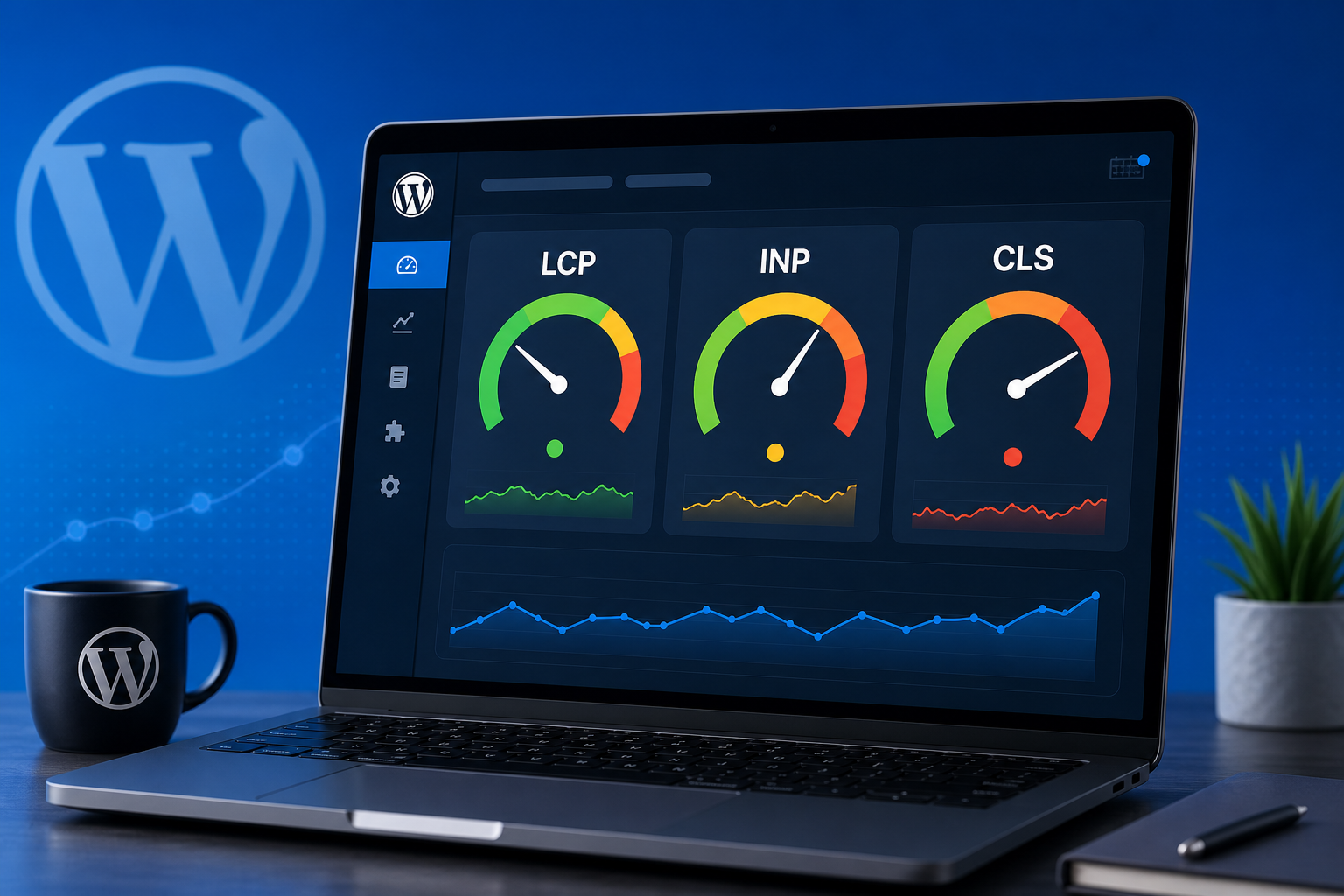
Core Web Vitals measure real user experience: how fast the main content shows up (LCP), how responsive the page feels when someone taps a button (INP), and whether stuff jumps around while loading (CLS). Google uses them as a ranking signal — a small one, but real. More importantly, slow pages lose sales and ad clicks whether or not Google cared.
The good news: most WordPress sites improve measurably with a short list of fixes that don’t require rebuilding the site from scratch.
What the Three Metrics Actually Mean on WordPress
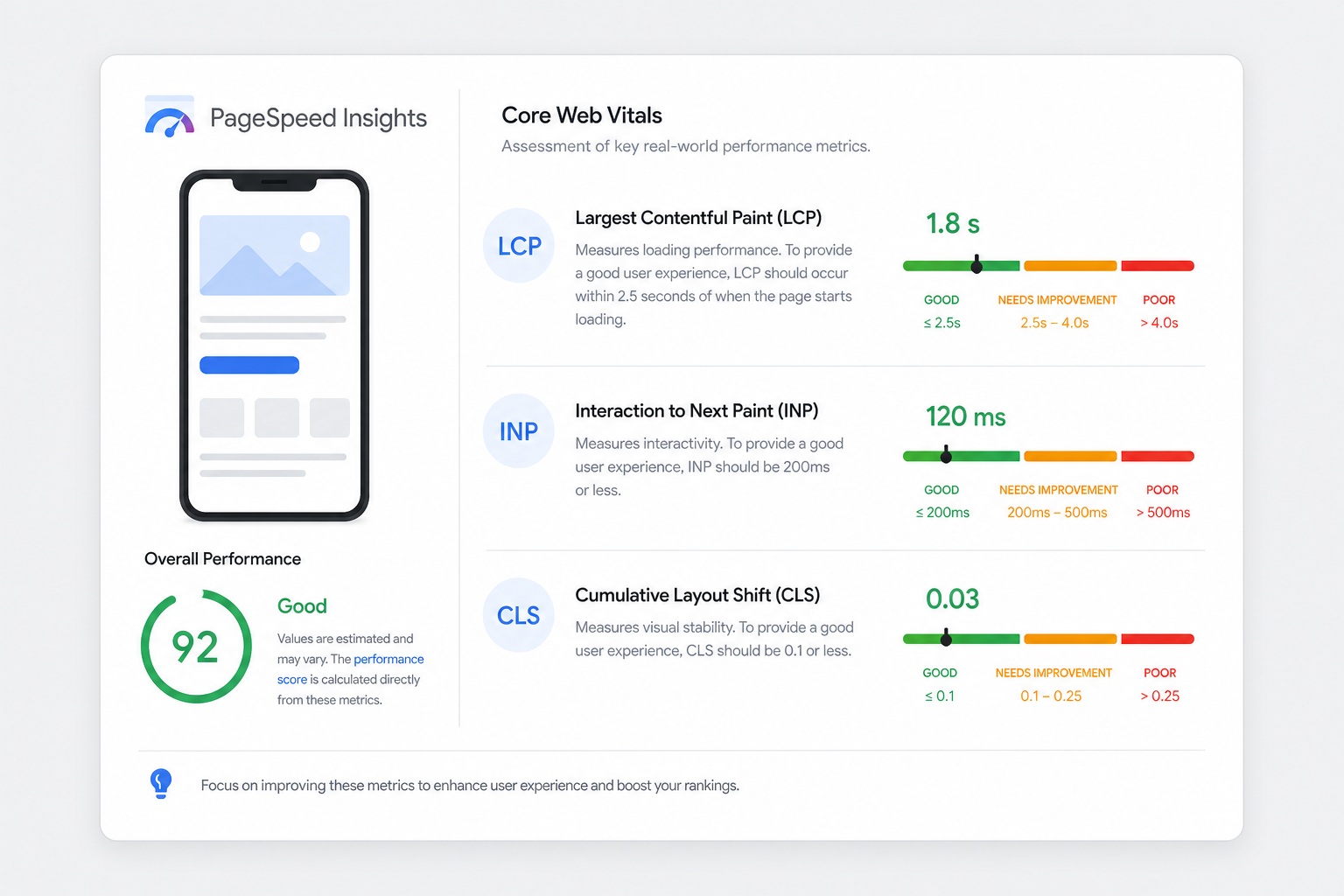
LCP (Largest Contentful Paint): Usually your hero image, featured image, or big heading block. On WooCommerce, often the product gallery. Target: under 2.5 seconds for “good.”
INP (Interaction to Next Paint): Replaced FID. Measures lag when users click, tap, or type. Heavy JavaScript — sliders, chat widgets, page builders, tracking scripts — kills INP. Target: under 200ms.
CLS (Cumulative Layout Shift): Content moving after load. Classic causes: images without dimensions, late-loading ads, cookie banners pushing the page down, web fonts swapping in. Target: under 0.1.
PageSpeed lab scores and field data (CrUX) differ. Trust Search Console’s “Core Web Vitals” report for URLs Google actually ranks — that’s field data from real Chrome users.
Fix LCP First — It’s Usually Images or Server Response
1. Compress and resize hero/featured images
Uploading 4000px-wide PNGs for a 1200px container is normal on WordPress. It’s also slow. Convert to WebP or AVIF where your stack supports it. Serve appropriately sized files — not full-resolution originals in the hero slot.
Plugins like ShortPixel, Imagify, or host-native optimizers help. So does actually resizing before upload.
2. Preload the LCP image
If LCP is a known above-the-fold image, preload it. Many performance plugins add this automatically when configured. Without preload, the browser discovers the hero image late in HTML parse order.
3. Improve TTFB with caching
Long server response time delays everything, including LCP. Full-page cache for anonymous visitors (LiteSpeed, WP Rocket, Cloudflare APO, host caching) drops TTFB dramatically on shared hosting.
Object cache (Redis) helps dynamic/admin-heavy sites but page cache matters more for brochure and blog traffic.
4. Don’t lazy-load above-the-fold images
Lazy loading everything — including the hero — became a default in WordPress and some plugins. Exclude the first visible image from lazy load. That single setting fixes LCP on a surprising number of blogs.
Fix CLS — Stop the Page From Jumping
1. Set width and height on images
WordPress adds dimensions to content images in many cases; themes often skip them on thumbnails and cards. Reserve space with aspect-ratio CSS or explicit width/height attributes so layout doesn’t reflow when images arrive.
2. Reserve space for embeds and ads
Ad slots, YouTube embeds, and Instagram blocks that inject late cause CLS. Use placeholder containers with min-height, or load below the fold only.
3. Font loading strategy
Web fonts that swap from invisible to visible text (FOIT/FOUT) shift layout. Use font-display: swap with matched fallback metrics, or limit custom fonts to headings only. System font stacks are underrated for body text.
4. Cookie banners and sticky headers
Banners that slide in from the top after 2 seconds are CLS machines. Render the banner space upfront or use a bottom bar that doesn’t push content.
Fix INP — Reduce JavaScript Main-Thread Work
INP is where plugin bloat hurts most.
- Audit active plugins — deactivate what you don’t need on the frontend
- Delay third-party scripts (analytics, chat, heatmaps) until user interaction
- Replace heavy page-builder animations on key landing pages with simpler markup
- Break long JavaScript tasks — performance plugins sometimes offer “delay JS” with safelists; test checkout and forms after enabling
WooCommerce checkout and cart pages are sensitive. Speed optimizations that break “Place order” are not optimizations. Test transactions after every change.
WordPress-Specific Checklist (This Week)
- Run PageSpeed on homepage, one blog post, one product (if WooCommerce)
- Note which metric fails on each — they’re often different
- Enable page caching if not already; purge and retest
- Fix LCP image: resize, WebP, preload, no lazy-load above fold
- Add dimensions / aspect-ratio to theme image templates
- Delay or remove one heavy third-party script; retest INP
- Re-check Search Console CWV report in 28 days (field data updates slowly)
Chasing 100 on PageSpeed is a hobby. Getting URLs from “Poor” to “Good” in Search Console is the business goal.
Core Web Vitals vs “SEO Content” — Both Matter
Fast pages with thin content still don’t rank. Great content on a 6-second mobile load bleeds traffic. If rankings are flat, look at content and indexing too — not just speed.
Our posts on why WordPress posts don’t rank and Crawled – currently not indexed cover the content and indexing side. Speed gets you in the game; relevance keeps you there.
Tools worth knowing
- MiroPage SEO — on-page audits for titles, meta, headings, and content structure (speed and content fixes stack)
- Citence — broader site audits including performance-related checks in Pro
The takeaway
Core Web Vitals on WordPress improve when you treat LCP as an image-and-cache problem, CLS as a layout-reservation problem, and INP as a JavaScript diet problem.
You don’t need a ground-up rebuild for most small business and WooCommerce sites. You need caching, smarter images, fewer scripts, and dimension discipline — then patience while field data catches up.