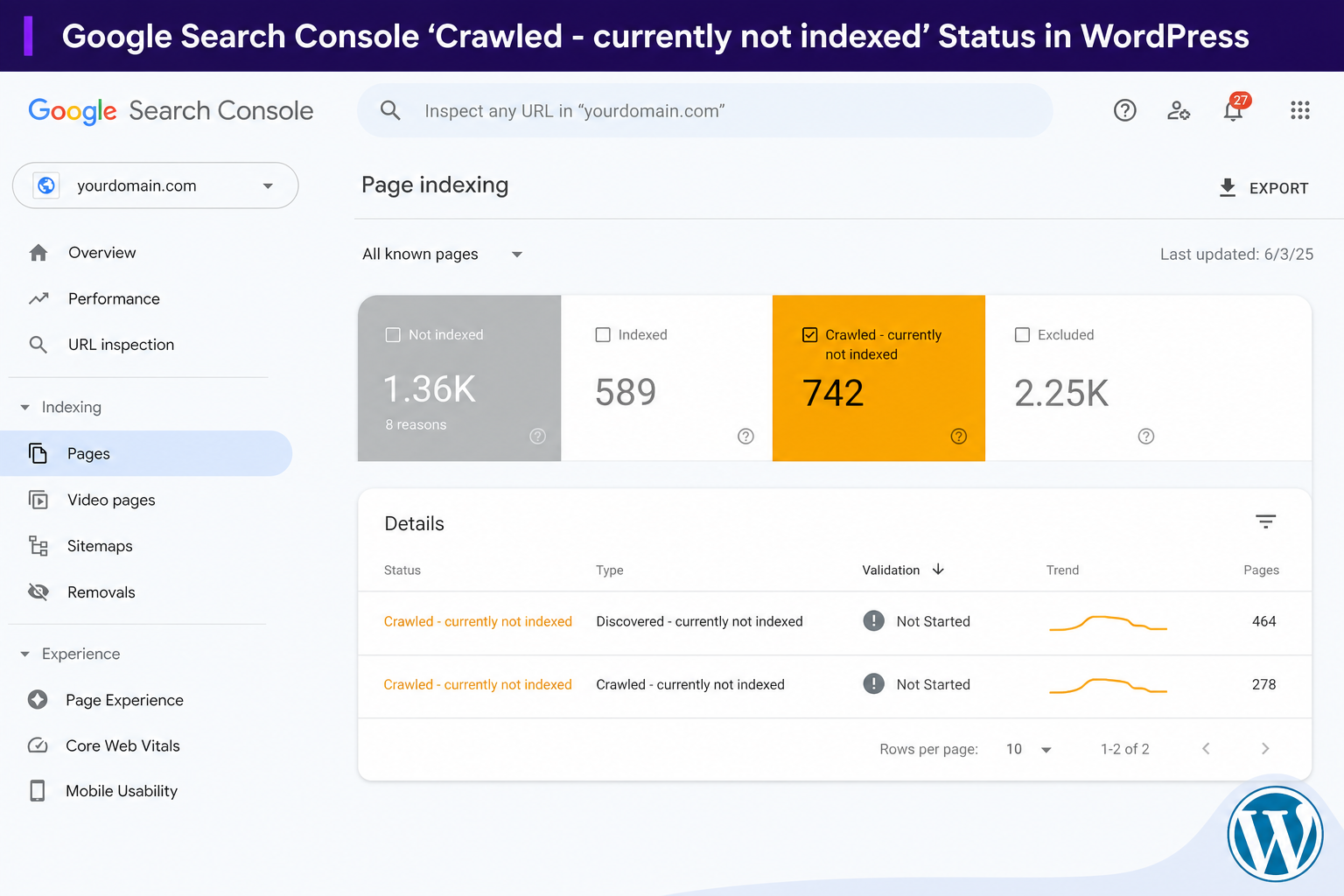
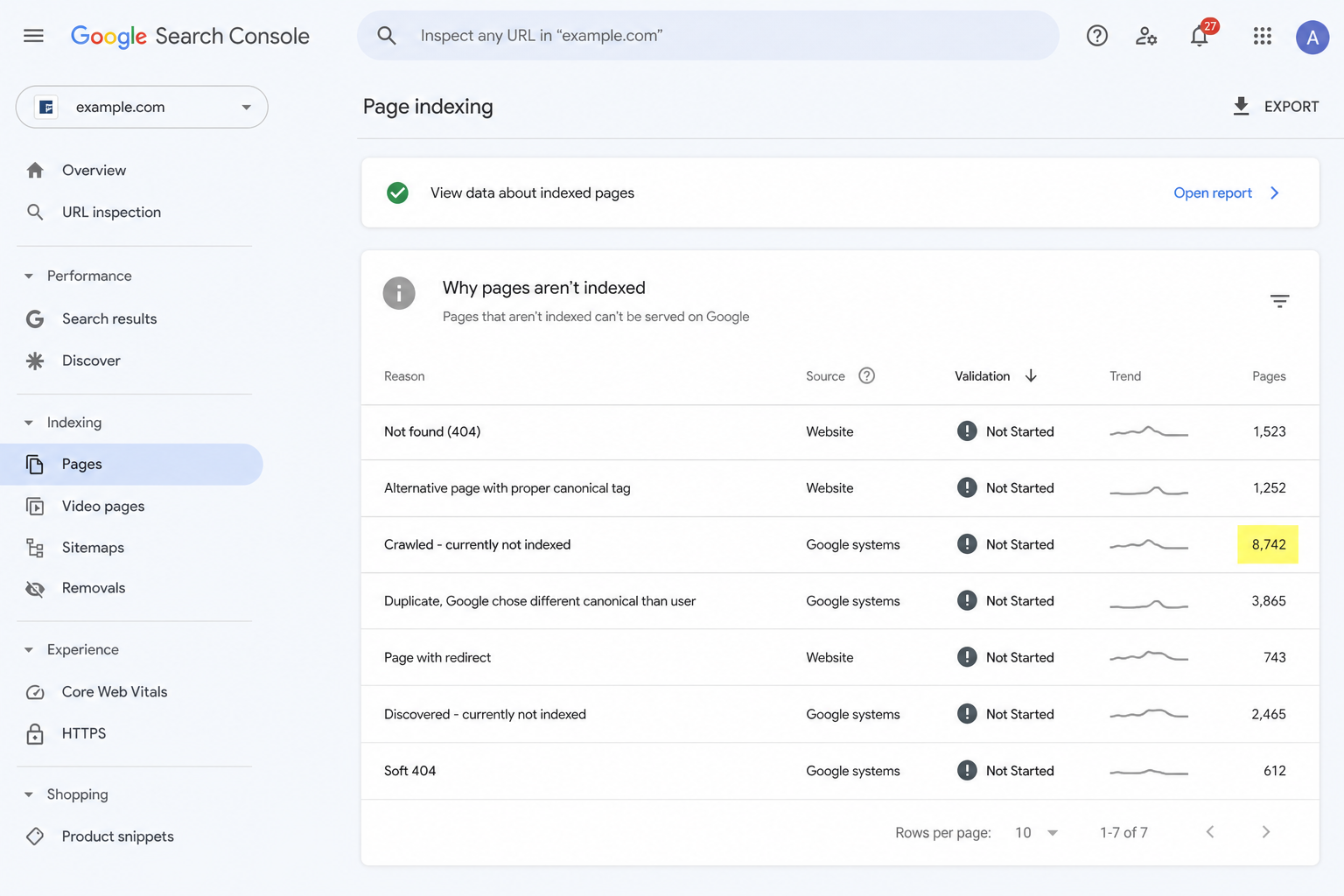
You open Google Search Console, click into Page indexing, and there it is: a growing pile of URLs labeled Crawled – currently not indexed.
Google visited the page. Google chose not to put it in the index. That feels insulting when you spent hours on the content.
It’s not a bug in WordPress. It’s not always a penalty either. It’s Google saying, “I saw this, and I’m not convinced it deserves a spot yet.” Sometimes that’s fair. Sometimes you can change their mind.
Here’s how to read the report and what to do next — without rewriting everything from scratch on day one.
What This Status Actually Means
Break it down literally:
- Crawled — Googlebot fetched the page. No robots block, no hard server error stopping the crawl.
- Currently not indexed — Google didn’t add it to the searchable index (yet, or maybe not at all).
This is different from “Discovered – currently not indexed” (Google knows the URL exists but hasn’t crawled it) and different from “Excluded by noindex tag” (you told Google not to index it).
Crawled-not-indexed is a quality/priority decision more often than a technical one.
Why WordPress Sites See This So Often
WordPress makes publishing easy. It also makes it easy to publish a lot of similar pages without noticing.
Common patterns we see:
- Tag archives with one post
- Author pages nobody cares about
- Thin WooCommerce category pages
- Location or service pages with swapped city names and the same body text
- Old blog posts that were useful in 2019 and never updated
- PDF or attachment URLs that shouldn’t be indexed
Google crawls them because they’re linked somewhere. Then it declines to index because the page doesn’t add enough compared to what’s already in the index — including your own other pages.
Step 1: Sort URLs by Business Value
Do not try to “fix” every URL in the report equally.
Export or filter the list and mark each URL:
- Must index — money pages, core blog posts, main products
- Nice to index — supporting content, secondary categories
- Should not index — tags, internal search, thin archives, duplicate filters
For the “should not index” bucket, stop fighting Google. Add noindex or clean up site structure so you stop wasting crawl attention on junk. That alone can help your important URLs over time.
Step 2: Compare Must-Index Pages to What Already Ranks
Pick one URL you care about. Search the target keyword in an incognito window.
Ask:
- Is my page the same type as page-one results (blog vs product vs tool)?
- Does my page answer the query faster than what’s ranking?
- Is mine longer but not actually more useful? (Length isn’t the fix.)
If every result is a comparison list and you published a vague opinion piece, crawled-not-indexed might be Google agreeing with the mismatch. Fix intent before you fix word count.
Step 3: Improve Internal Links (The Underrated Fix)
Orphan and near-orphan pages get crawled-not-indexed more often. Google follows links. If your only path to a post is the sitemap and a paginated archive page from 2014, that’s a weak signal.
Link to the URL from:
- A relevant high-traffic post
- A topical hub page or category intro you actually maintain
- The homepage if it’s truly important (sparingly — don’t turn the homepage into a link farm)
Use anchor text that describes the page, not “click here.”
We covered internal linking patterns in why blog posts don’t rank — same mechanics apply here.
Step 4: Make the Page Genuinely Harder to Ignore
When you’ve confirmed the page should exist in the index, upgrade the content with things Google (and humans) actually use to judge value:
- Clear H2 sections that match sub-questions
- Original examples, screenshots, or steps — not generic filler
- Updated stats or “last reviewed” date if the topic changes fast
- FAQ only where real questions exist
- Fix misleading titles that overpromise
Merge overlapping posts if you published three articles on the same narrow topic. One strong page beats three weak ones cannibalizing each other.
Step 5: Request Indexing Once — Then Wait
After meaningful changes, use URL Inspection → Request indexing. Once. Not daily.
Google isn’t obligated to comply. Hammering the button doesn’t help. Give it a couple of weeks while you improve site-wide signals (speed, structure, more internal links).
When You Should Stop Trying to Index a URL
Some pages shouldn’t be in Google’s index. That’s fine.
Thank-you pages, cart, checkout, internal search, some filter combinations, staging leftovers — noindex them on purpose and remove them from your worry list.
Your index should look like a curated library, not a dump of every URL WordPress ever generated.
How This Connects to the Bigger Indexing Picture
Crawled-not-indexed is one row in Search Console. For the full map — noindex mistakes, canonicals, sitemap junk, orphan pages — read the 15 real reasons pages aren’t indexed.
If you want automation on the WordPress side — catching noindex on drafts, weak titles, missing meta before publish — MiroLabs and MiroPage SEO are built for that pre-publish audit layer so fewer URLs enter Search Console broken in the first place.
Quick checklist (copy this)
- Is this URL worth indexing at all?
- Correct search intent and content format?
- Unique value vs your other pages and competitors?
- Internal links from strong indexed pages?
- No accidental noindex/canonical/robots issue?
- One indexing request after real improvements — then patience
Related status: Discovered – currently not indexed — different problem, different fix.
The takeaway
Crawled – currently not indexed isn’t a death sentence. It’s Google being picky — sometimes correctly.
Prioritize the pages that matter, noindex the junk, improve internal links and substance on what’s left, and stop measuring success by how many URLs you force into the index. Measure it by whether the right pages show up for the right searches.
Also see: Soft 404 on WordPress — why Google thinks your page is empty.