Alt text is for people who can’t see the image — screen readers, broken images, slow connections. Google uses it to understand images too. It is not a secret keyword slot where you dump “best cheap SEO plugin buy now WordPress rank #1.”
On WordPress sites with 2,000 media files and WooCommerce galleries, alt text becomes a scale problem. Empty alts everywhere, or one intern keyword-stuffed every filename in 2019. Neither works.
Here’s how to do image alt text on WordPress properly — SEO and accessibility together — without hand-editing every attachment for a month.
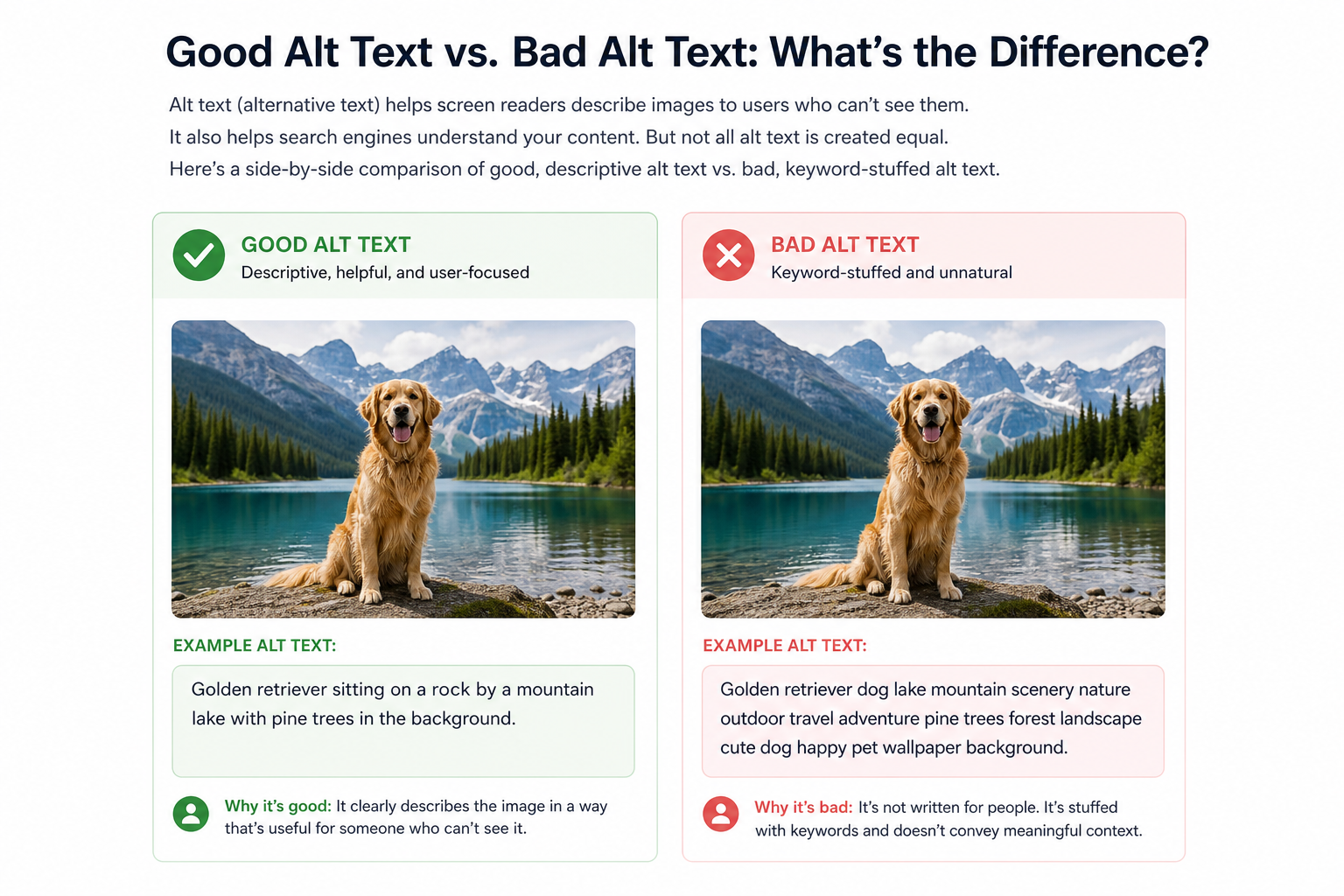
What Alt Text Should Do
Describe the image’s function and content in context. Short, specific, human.
Good: “Blue running shoe side profile on white background”
Bad: “shoe running SEO WordPress best 2026”
Decorative images: empty alt alt="" — dividers, pure decoration. Don’t describe noise.
Alt vs Title vs Filename vs Caption
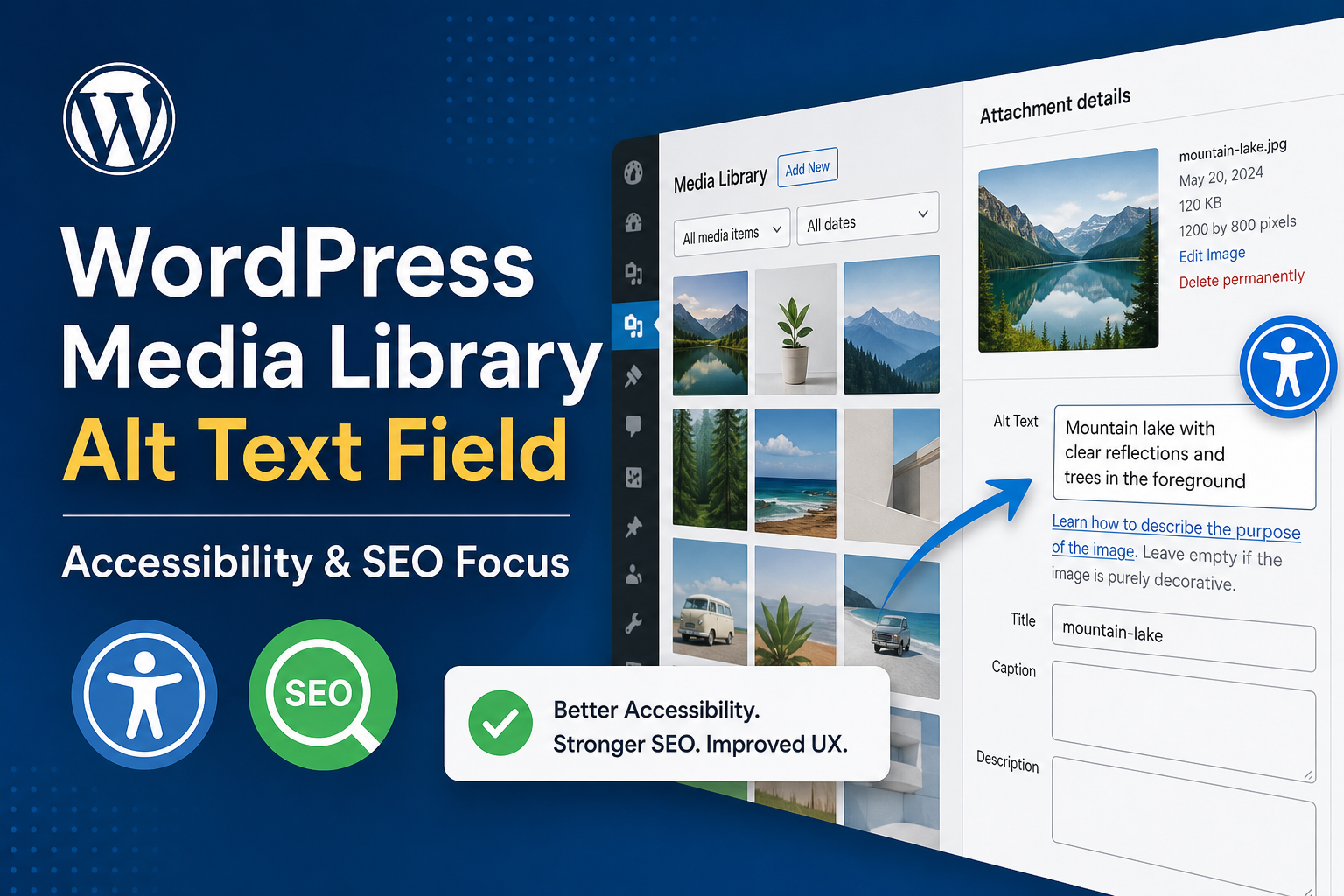
- Alt: accessibility + image understanding — primary field
- Title: optional tooltip — not a substitute for alt
- Filename: descriptive helps slightly — blue-running-shoe.jpg beats IMG_3847.jpg
- Caption: visible text — can supplement, not replace alt
WordPress Where Alt Lives
Media Library → attachment Alt Text field. Block editor uses it on insert. Classic editor same.
Theme featured images — ensure the_post_thumbnail outputs alt from media meta, not empty.
Page builders sometimes strip or override alt — audit rendered HTML, not just library.
Scale Strategy: Fix by Impact
Tier 1 — Money and traffic pages
Homepage, top products, pillar posts, category heroes. Hand-write alts.
Tier 2 — Templates
Product template alt from product name + image role (“Product name — front view”). WooCommerce variable galleries — alt per variation image if meaningfully different.
Tier 3 — Bulk library
Export attachments, batch edit meaningful alts for reused images. Skip one-off decorative stock.
Tier 4 — New uploads
Rule: no publish without alt on content images — MiroPage checklist.
WooCommerce Product Images
Product gallery alts should describe view: “Widget Pro — installed on dashboard”, not repeat product name five times identically unless accurate.
Helps image search and product understanding. Pairs with image compression for speed.
Common Mistakes
- Same alt on every image on page
- Keyword lists unrelated to image
- Alt on decorative icons — noise for screen readers
- Missing alt on linked images — critical accessibility fail
- Auto-generating alt from post title for unrelated stock photo
Automation: Helpful vs Harmful
Plugins that auto-alt from filename can bootstrap weak filenames — garbage in, garbage out. AI alt generators — review before bulk apply; wrong alts hurt trust.
Better automation: require alt field before upload in editorial workflow; block publish if content images missing alt in audit tools.
Citence and MiroPage flag missing alt in on-page audits.
Audit Workflow
- Crawl — filter images with empty alt on indexable URLs
- Sort by page traffic
- Fix top 50 pages’ images manually
- Update upload SOP for team
- Re-crawl quarterly
Alt Text and SEO Expectations
Alt helps image understanding and accessibility — minor ranking factor at best. Don’t expect alt alone to rank competitive terms. Do expect lawsuits and bad UX from empty alts on ecommerce.
Tools
- MiroPage SEO — alt coverage at publish
- Citence Pro — missing alt across site in scheduled audits
The takeaway
Image alt text on WordPress: describe what matters, fix high-traffic pages first, enforce on new uploads, skip keyword spam. Scale with templates on WooCommerce, manual on heroes, audits for gaps. Alt serves humans first — SEO benefit follows honest description.