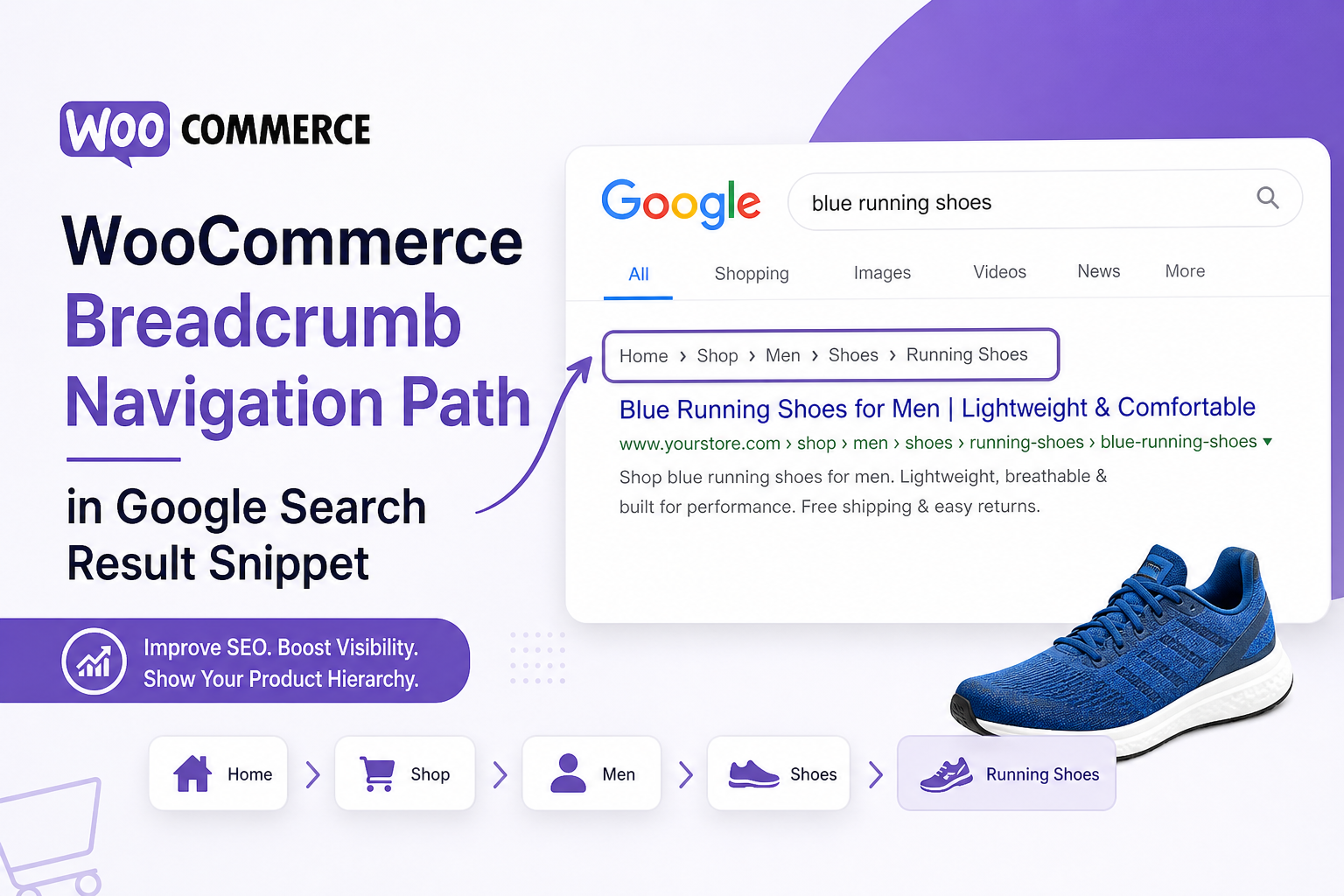
Breadcrumbs show up in search results when markup is clean — a trail like Home › Shop › Running Shoes › Product Name under your listing. Nice for clicks. Nice for site structure signals.
On WooCommerce stores, breadcrumb schema is also a mess waiting to happen. Theme outputs one trail, SEO plugin outputs JSON-LD, WooCommerce outputs another. Hierarchy skips the shop page. URLs use http. Product breadcrumbs point to wrong category.
Here’s how to set up WooCommerce breadcrumb schema that Google can parse — without the duplicate-entity problems that kill rich results elsewhere.
Why Breadcrumb Schema Matters on Stores
BreadcrumbList schema describes navigation path to the current page. Google may display it in SERPs. It also clarifies where a product sits in your catalog — especially when products live in multiple categories.
It doesn’t replace good internal linking or category optimization. It complements them. Broken breadcrumbs confuse crawlers the same way broken internal links do — wrong paths, wasted trust.
Common WooCommerce Breadcrumb Schema Problems
1. Duplicate BreadcrumbList blocks
Theme + Yoast/Rank Math + WooCommerce extension each output schema. Same as duplicate product schema — pick one source.
2. Missing Shop level
Trail jumps Home → Product Name, skipping Shop and category. Weak hierarchy for Google and users.
3. Wrong category in trail
Product in three categories; breadcrumb picks random one or “default” that doesn’t match primary intent.
4. Non-canonical URLs in items
Breadcrumb links use parameter URLs, old slug before redirect, or http:// versions.
5. Visible breadcrumbs don’t match schema
Schema lists five levels; on-page breadcrumb shows three. Mismatch triggers ignore or rich result loss.
Visible Breadcrumbs First, Schema Second
Rule one: what users see must match JSON-LD itemListElement order and URLs.
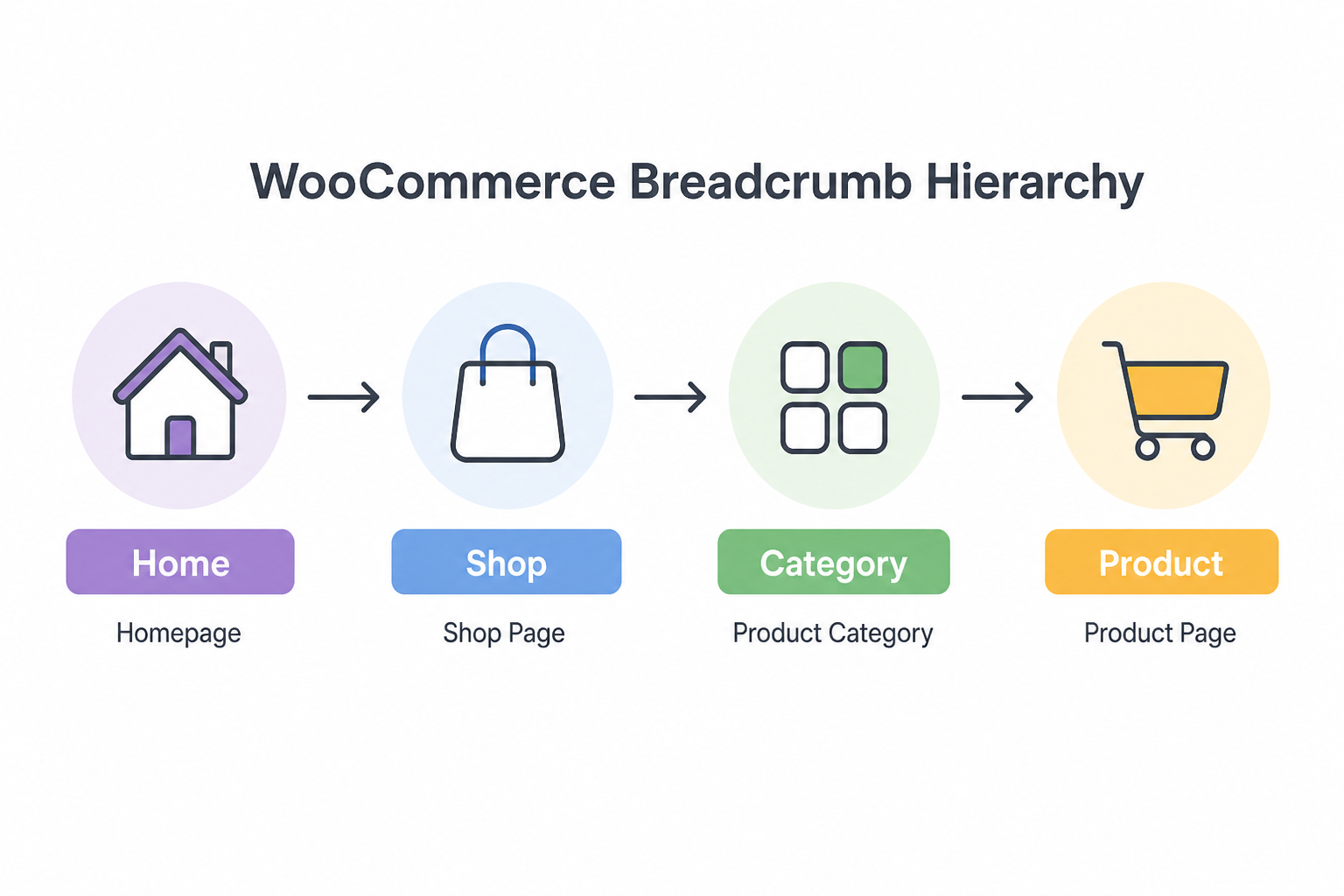
Enable WooCommerce breadcrumbs in theme or use theme support. Typical good trail on product:
Home › Shop › Category › Subcategory › Product Name
Configure primary category per product in WooCommerce — SEO plugins often use “primary category” for breadcrumb and canonical context. Set it deliberately on bestsellers.
Choosing One Schema Source
If using Yoast or Rank Math: Enable breadcrumb schema in plugin; disable breadcrumb JSON-LD in theme if option exists. Let SEO plugin generate BreadcrumbList from same logic as visible trail.
If theme owns visible breadcrumbs: Ensure theme schema matches rendered links — or disable theme schema and use plugin breadcrumbs for both visual + JSON-LD.
View source on live product URL. Search BreadcrumbList. Count blocks. One wins.
Category and Product Page Differences
Product category archive: Home › Shop › Parent Category › Current Category
Product: include primary category path; don’t list every category the product belongs to in schema — one clear path.
Shop page: Home › Shop — simple, valid.
For deep catalogs, avoid 7-level trails in schema; reflect actual UX path, not entire taxonomy tree.
Testing and Validation
- Rich Results Test on product, category, shop URLs
- Compare each ListItem URL to visible breadcrumb click path
- Confirm https and canonical slugs
- Check mobile — some themes hide breadcrumbs on mobile but still output schema; acceptable if schema matches logical path users would take
After theme or plugin update, re-test two product URLs. Breadcrumb regressions ship silently.
Breadcrumbs vs Other Schema on Same Page
Product pages carry Product + BreadcrumbList + sometimes Organization/WebSite. That’s normal — different types, not duplicates of same type. Problem is two Product or two BreadcrumbList blocks.
Align with overall schema strategy in our FAQ schema guide — one entity per type, visible content matches markup.
When Breadcrumbs Don’t Show in SERPs
Google chooses display — valid schema doesn’t guarantee breadcrumb rich results. Still worth fixing for structure and occasional SERP enhancement.
If product pages aren’t indexed, fix indexing first — discovered not indexed and product guides cover that layer.
Tools
- Citence Pro — structured data and WooCommerce product audits in batch
- MiroPage SEO — on-page structure before publishing category content
The takeaway
WooCommerce breadcrumb schema works when visible trails are logical, primary categories are set, URLs are canonical, and exactly one plugin or theme outputs BreadcrumbList. Fix duplicates before chasing product rich results — Google reads the whole graph, not isolated pieces.