Site audits fail when they dump 800 red flags with no order. You fix a meta description on a tag archive nobody indexes while product pages sit broken. Tools don’t fail — workflows do.
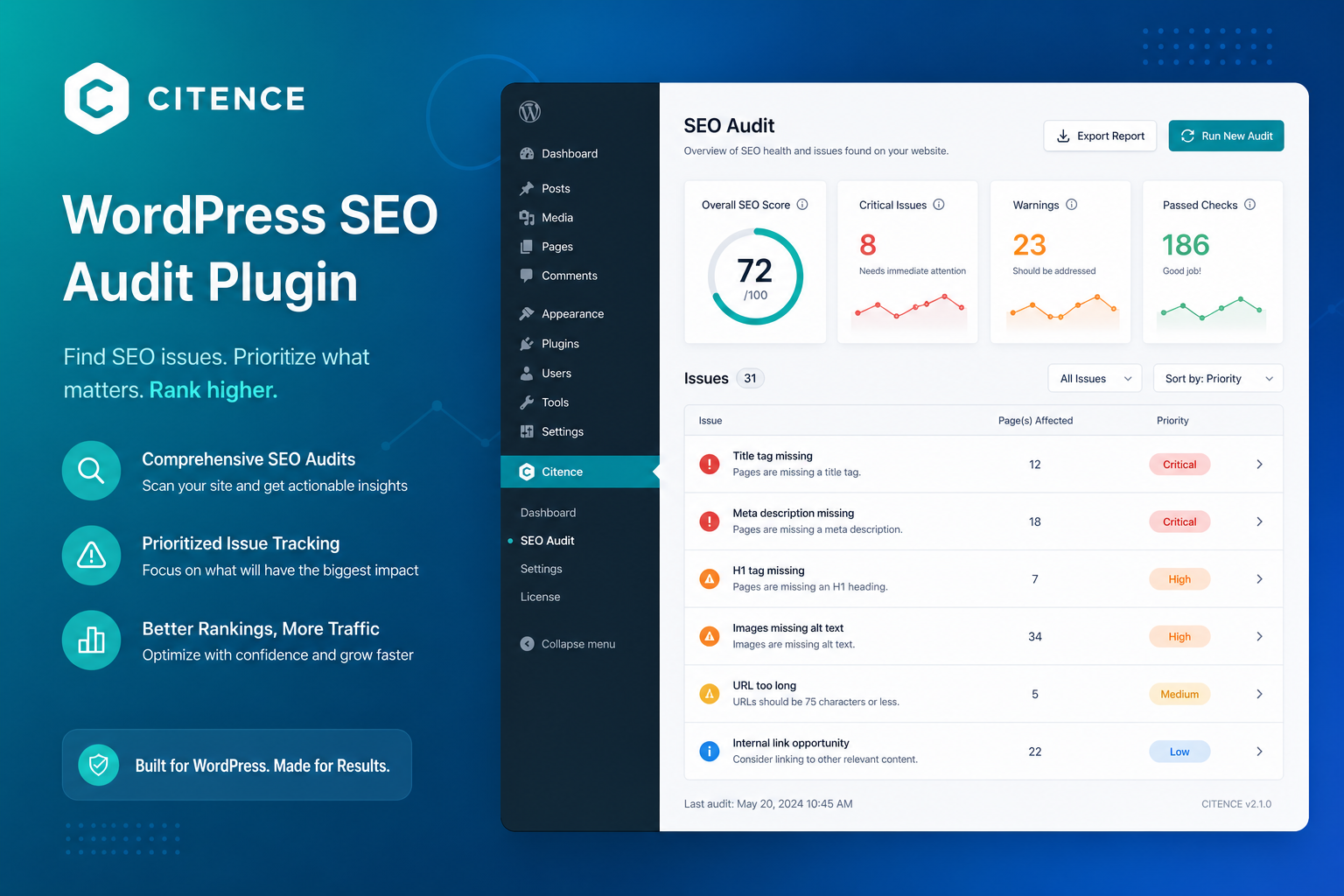
Citence is built for WordPress audit-and-fix cycles: scan, prioritize, repair, rescan. Free tier covers local checks and editor scores; Pro adds AI fixes, WooCommerce product audits, scheduled runs, tracked prompts, exports, and full history.
Here’s a practical first audit and monthly workflow that works whether you’re on Free or Pro.
Before You Scan: Set Baseline
- Confirm site is live (not maintenance mode for public)
- Note top 10 URLs by revenue or leads in Search Console
- One SEO plugin only (Yoast or Rank Math) — see Rank Math vs Yoast vs audit tools
- Purge page cache if you changed titles/schema recently
Audits on stale cache lie about what Google sees.
Step 1: Run Your First Citence Scan
From WP Admin → Citence dashboard, start a site audit. Free runs local checks across published posts and pages — titles, meta descriptions, headings, image alt, basic on-page signals.
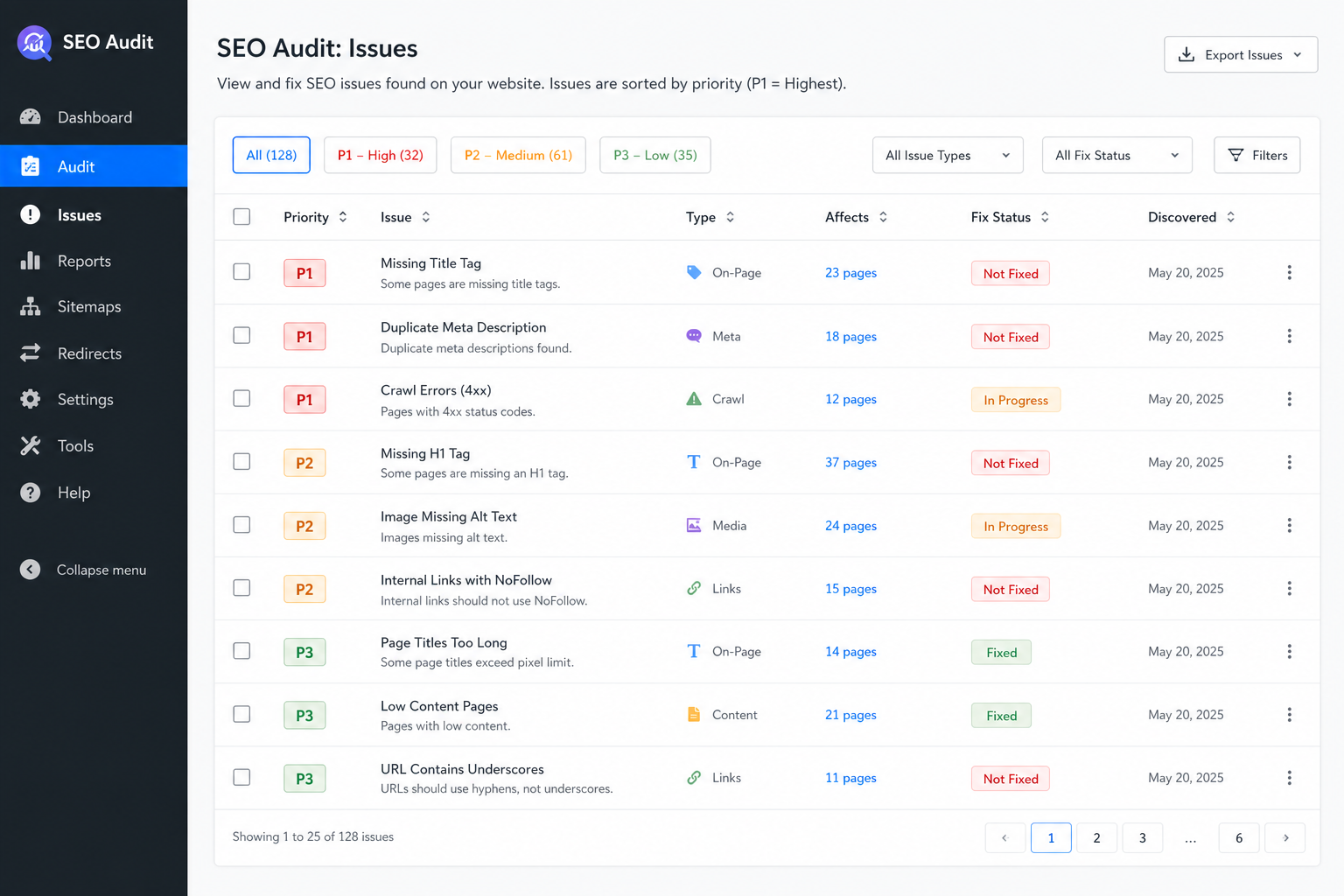
Don’t chase 100% score day one. Export or screenshot the issue summary. Group by type: missing meta, duplicate titles, heading skips, thin content flags.
Pro users: include WooCommerce products if store is core revenue. Product template issues scale — one fix on single-product template beats editing SKUs one by one where theme allows.
Step 2: Triage by Business Impact
Sort findings into buckets:
| Priority | Examples | Why first |
|---|---|---|
| P1 — Money pages | Homepage, top products, service pages, contact | Traffic + revenue |
| P2 — Indexing blockers | noindex mistakes, canonical errors | See pages not indexed |
| P3 — Site-wide patterns | Duplicate title template, missing H1 pattern | One fix, many URLs |
| P4 — Long tail | Old tags, 2019 posts with weak meta | After patterns fixed |
Step 3: Fix in Batches (Free Workflow)
Free tier: manual fixes in block editor or SEO plugin fields. Citence shows what’s wrong; you edit the post.
Weekly rhythm:
- Monday: fix P1 issues from last scan (5–10 URLs max)
- Wednesday: one site-wide pattern (title template, category description)
- Friday: rescan, compare issue count trend
Rescan manually after meaningful fixes — Free keeps last 3 history runs so you can see progress.
Step 4: Pro Workflow — AI Fixes and Scale
Pro unlocks AI-assisted fixes for supported issue types — useful when meta and intro rewrites pile up on large catalogs. Review every AI suggestion before publish. You’re accountable for what goes live, not the model.
Pro also adds:
- Bulk fix — same issue class across many URLs
- Scheduled audits — catch plugin/theme regressions
- WooCommerce product audits — pair with schema fixes
- Tracked prompts — monitor AI citation for key queries
- CSV/PDF export — client reporting or dev handoff
License from miroseo.com/product/citence — Free stays useful; Pro when the site outgrows hand-editing.
Step 5: Pair With Search Console
Citence finds on-page and technical patterns. GSC shows indexing reality. Cross-check:
- High-impression URLs with Citence title/meta flags → fix first
- Crawled not indexed URLs → content + links, not just meta
- Discovered not indexed → internal links and sitemap
Step 6: AI Citation Layer (Pro)
If AI visibility matters for your niche, add tracked prompts after on-page basics are clean. Clear headings, quotable definitions, honest schema — audits surface gaps before you track prompts forever.
Monthly Maintenance Cadence
- Scheduled Pro audit (or manual Free scan)
- Compare to prior month — new issue types often mean plugin update
- Fix top 20 by priority
- Re-check GSC indexing report
- Update one content cluster with internal links
Also use MiroPage for Pre-Publish
Citence excels at site-wide backlog. MiroPage SEO catches issues before publish — use both: MiroPage at creation, Citence for inventory already live.
The takeaway
A Citence audit works when you triage by business impact, fix patterns before one-offs, rescan to prove progress, and layer GSC for indexing truth. Free is enough to start; Pro when WooCommerce scale, scheduling, and AI fixes beat manual meta edits.