You did everything the checklist told you to do. You picked a keyword, wrote 1,500 words, added a couple of headers, and hit publish. Three weeks later—nothing. Not even page five. Not even an impression in Search Console for the keyword you wrote the whole thing around.
This is one of the most common frustrations for WordPress site owners, and most popular advice doesn’t actually explain why it happens. You’ll usually hear things like “write better content,” “add more keywords,” or “wait a few months.” That advice isn’t completely wrong, but it doesn’t help you find the actual problem.
So let’s skip the generic advice and look at what’s really going on.
It’s Probably Not Your Writing
This is the first thing to rule out because it’s the thing people waste the most time worrying about. If your post answers the question someone is searching for, uses plain language, and covers the topic properly, the writing quality itself is rarely the main blocker.
That doesn’t mean every article is good. Some posts are clearly thin, copied, confusing, or written only to stuff keywords. But if your article is useful and still getting nothing, the problem is usually structural. Something around the content is stopping it from performing, even if the writing itself is fine.
Reason 1: You Published Before the Post Was Actually Finished
A lot of people think the post is finished once the writing is done. It isn’t.
A shocking number of published articles are missing a proper meta description, have a weak title tag, use the wrong URL slug, or have no internal links pointing to them from anywhere else on the website. The article exists, but nothing around it tells Google that the page matters.
The internal linking problem is especially common. Google can still discover an orphaned page through your sitemap, but a page with no internal links is basically sitting alone. Even your own website isn’t pointing visitors toward it. That’s not a strong sign that the page is important.
Before blaming the content, check the basic on-page setup. Make sure the SEO title matches what people are actually searching for, the meta description explains the page clearly, the URL is clean, and at least a few relevant pages link to the new post naturally.
Check This First
Open Google Search Console and use the URL Inspection tool. Check whether the page is actually indexed before worrying about its ranking position.
This sounds obvious, but many site owners spend weeks changing titles and adding more paragraphs to a page Google hasn’t even indexed yet. If the page isn’t indexed, it can’t rank. Fix that problem first.
Reason 2: Your Title Promises Something the Content Doesn’t Deliver
Your title might get the click, but the content still has to deliver what the title promised.
If your title says “10 Ways to Fix a Slow WordPress Website,” people expect the fixes quickly. They don’t want three long paragraphs explaining what WordPress is, why website speed matters, and how the internet changed over the past ten years.
Get to the point.
The introduction should explain the problem and tell the reader what they’ll get from the article. After that, start helping them. Don’t stretch the opening just to increase the word count.
The same applies to misleading titles. Don’t say “complete guide” when the article covers only the basics. Don’t promise ten fixes and give people six real fixes plus four repeated ideas. Readers notice this immediately, and weak content usually won’t perform well for long even if the title gets clicks.
Reason 3: You Targeted the Wrong Search Intent
This is the quiet killer.
You can write an excellent article around a keyword and still have almost no chance of ranking because your content format doesn’t match what Google is already showing for that search.
For example, imagine you target a keyword such as “best WooCommerce abandoned cart plugin.” You write a long educational article explaining why cart recovery matters, but every result on page one is a plugin comparison, a product page, or a list of recommended tools.
Your article might be useful, but it isn’t giving searchers the format they appear to want.
The same thing happens when someone writes a blog post for a keyword where Google mainly ranks category pages, service pages, free tools, videos, or product listings. You’re not only competing against other websites. You’re fighting the type of result Google has already decided fits the query.
A Simple Test
Search your target keyword before writing the article.
Look at the first page and ask a few basic questions. Are the results blog posts, product pages, tools, category pages, or videos? Are they beginner guides or advanced explanations? Are they short answers or long tutorials?
You don’t need to copy the existing results, but you need to understand what type of page is winning. If every result is a product comparison, publishing a basic informational article is probably the wrong move.
Match the format first, then make your version better.
Reason 4: Nobody Properly Told Google the Page Exists
Being included in your XML sitemap doesn’t automatically mean the page has been indexed.
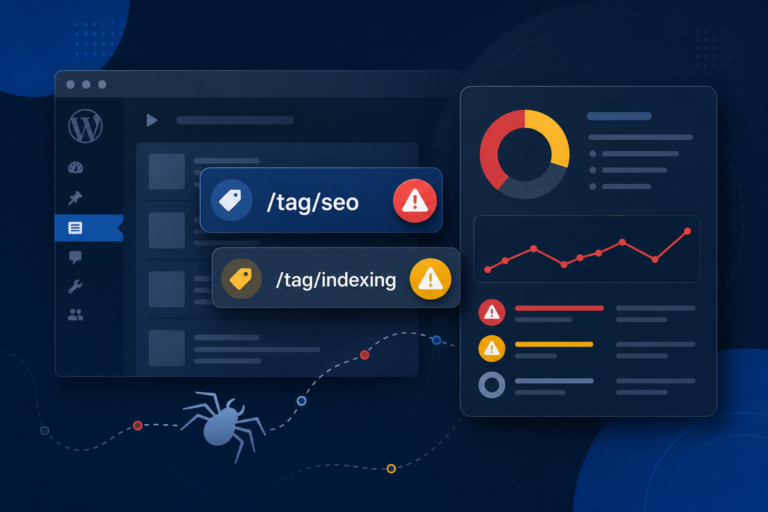
Your sitemap helps Google discover pages, but there are still plenty of reasons a new post might be ignored or delayed. It could have a leftover noindex tag, the canonical URL might point somewhere else, the page might be blocked by robots.txt, or Google might simply not see enough reason to crawl it quickly.
After publishing, submit the URL through Search Console. Then add a natural internal link from an older relevant article. You can also link to it temporarily from a page Google crawls regularly, as long as the link actually makes sense.
Also check the page source or your SEO plugin settings for a noindex tag. This happens more often than people think, especially when posts were created as drafts, copied from staging websites, or built using page templates with the wrong SEO settings.
A lot of “why isn’t my article ranking?” problems are actually “why isn’t my article indexed?” problems.
Reason 5: Your Website Has No Authority Around the Topic
One good article doesn’t automatically make your website trustworthy around an entire subject.
If your website normally talks about travel visas and you suddenly publish one article about advanced WooCommerce SEO, Google has very little context showing that your site is useful for that topic. The article might still rank eventually, but it’s going to have a harder time against websites that already have dozens of strong pages around WooCommerce.
This is why publishing random articles around unrelated keywords usually fails. People see an easy keyword, write one post, and expect traffic. But Google looks at more than the page itself. The rest of the website matters too.
You need supporting content.
If your main article is about WordPress posts not ranking, you might also need articles about search intent, internal linking, WordPress indexing problems, SEO titles, meta descriptions, and technical SEO checks. Those pages should connect naturally through internal links.
You’re not just publishing individual posts. You’re building a group of pages that prove your website understands the topic.
Reason 6: Your Page Is Slow, Broken, or Difficult to Use
Core Web Vitals aren’t the only ranking factor, but a slow or broken page is still working against you.
Maybe the article loads quickly on your desktop but takes four seconds on a phone. Maybe a large image pushes the content around while loading. Maybe an ad blocks the first paragraph. Maybe the cookie banner covers half the screen. Maybe the font is tiny and the page is painful to read.
None of these problems improve the article.
A technically weak page can ruin otherwise good content. This is especially common on WordPress websites running too many plugins, heavy themes, page builders, tracking scripts, ad scripts, and image sliders that nobody needed in the first place.
Check the page on mobile, not only inside the WordPress editor. Open it using mobile data and see how it actually feels. If you get annoyed waiting for it, your visitors probably will too.
See also: WordPress internal linking mistakes that quietly kill rankings and how to fix Crawled – currently not indexed.
Reason 7: Your Internal Links Are Weak or MissingInternal links aren’t just for helping Google find pages. They also help explain how your content is connected.
A lot of site owners either add no internal links or force links into random sentences using exact-match keywords. Both approaches are bad.
Link from relevant articles where the new page genuinely helps the reader. Use natural anchor text and make sure the relationship between the pages makes sense. If you publish a post about WordPress indexing problems, link to it from related posts about Search Console, technical SEO, and publishing new content.
Also link out from the new post to other useful pages on your website. A dead-end article with no useful next step is weaker than an article connected to a proper content structure.
Reason 8: You Picked a Keyword You Can’t Realistically Compete For
Sometimes the problem is simpler than people want to admit.
The keyword is too competitive.
You might find a keyword with good search volume and write a strong article, but if the entire first page is controlled by huge websites with thousands of backlinks and years of authority, your new WordPress site probably isn’t going to jump above them in three weeks.
That doesn’t mean you should only target keywords with zero competition. It means you need to be realistic.
Start with specific problems where you can give a better answer. Instead of targeting something broad like “WordPress SEO,” target something such as “why my WordPress post is indexed but not ranking” or “WooCommerce product page not showing in Google.”
More specific keywords usually have lower search volume, but the people searching them know exactly what they need. Those visitors are often much more valuable than random traffic from a broad keyword.
What Actually Fixes the Problem
The fix usually isn’t writing another 1,500 words.
Go back to the post and check the boring stuff first. Is it indexed? Does the title match the search intent? Is the page linked from other relevant posts? Does the content format match what’s already ranking? Is the website fast enough on mobile? Does your site have other content supporting the same topic?
Most WordPress site owners don’t have time to manually check every SEO title, meta description, internal link, indexing setting, and technical issue every time they publish. That’s the exact problem MiroPage SEO is built to help with—catching on-page SEO problems before you publish instead of three weeks later when you’re wondering where the traffic went.
The point isn’t to add more useless SEO scores to your WordPress dashboard. It’s to catch the small problems that quietly stop good content from getting a fair chance.
And ranking is only half the battle. If you run a WooCommerce store and people reach your website but leave without buying, you also need to look at abandoned cart recovery. There’s no point working hard to bring in traffic while letting ready-to-buy customers disappear at checkout.
Also read: Core Web Vitals fixes for WordPress and how to fix duplicate title tags.
The TakeawayWhen a post doesn’t rank, the first reaction is usually to write another post, add more words, or change the keyword. That often wastes even more time.
Go back and check the structure first: indexing status, SEO title, search intent, internal links, page speed, and whether the website has enough supporting content around the topic. You’ll usually find the real problem much faster than you expect.
Good writing matters, but good writing sitting on a badly structured page can still go nowhere.