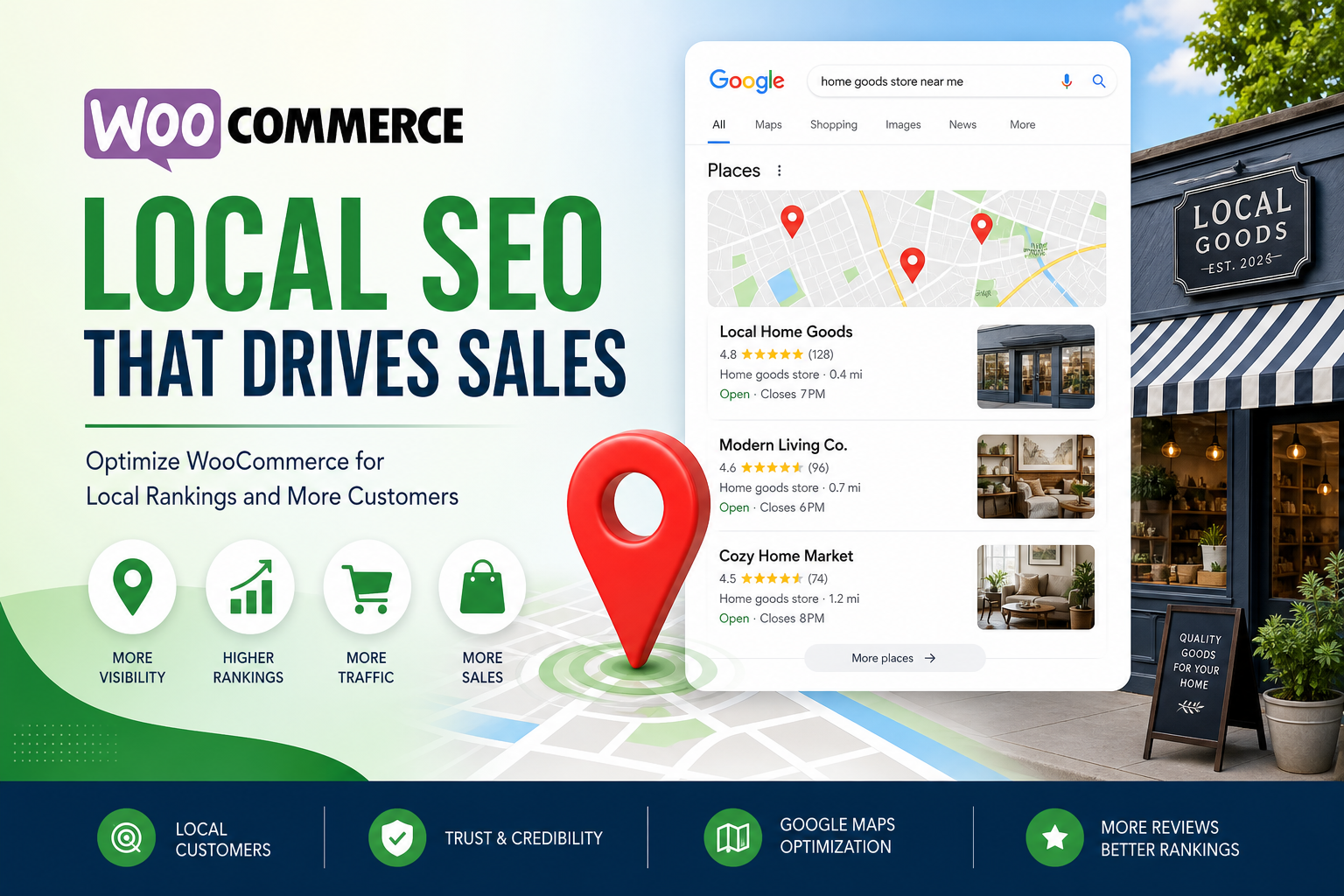
You run a WooCommerce store with a physical location — or you serve a defined city and want “near me” traffic. National SEO playbooks don’t fit. Product schema alone won’t put you on the map pack.
Local SEO for WooCommerce means aligning your website, Google Business Profile, and on-the-ground business details so Google trusts you’re a real place serving real customers nearby.
This checklist covers what actually moves local visibility — not generic “add keywords to footer” advice.
1. Google Business Profile (Non-Negotiable)
If customers can visit or pick up, claim and verify GBP. Complete every field: categories (primary + secondary), hours, services, photos, products (where available), Q&A.
Website URL must match your canonical domain (https, www vs non-www consistent). Mismatch between GBP link and WooCommerce canonical confuses trust signals.
Post updates monthly — sales, new products, events. Stale profiles look abandoned.
2. NAP Consistency Everywhere
Name, Address, Phone — identical formatting on:
- Website footer and contact page
- Google Business Profile
- Facebook, Apple Maps, Bing Places
- Local directories and supplier listings
“St.” vs “Street,” suite numbers, old phone after port — these create duplicate entity signals. Pick one format; fix outliers.
3. Dedicated Location Page (Not Just Footer Text)
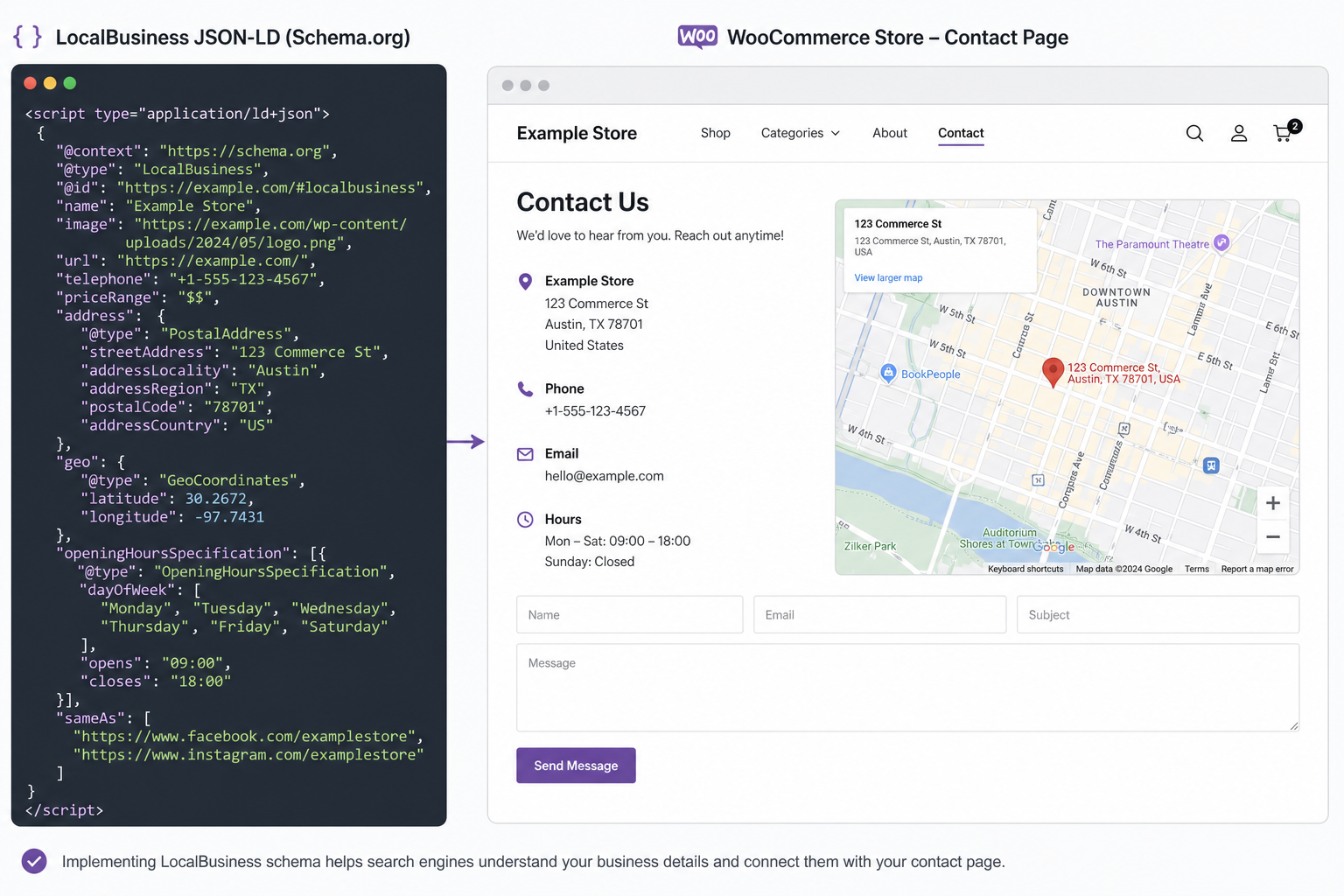
One strong /location/ or /contact/ page with embedded map, hours, parking, pickup instructions, local phone click-to-call. Unique copy about serving your area — not 100 words duplicated on every page footer.
For multi-location: separate pages per location with unique NAP, hours, and local inventory notes if they differ.
4. LocalBusiness Schema (Correctly)
Output LocalBusiness or Store schema with name, address, geo, phone, openingHours, url. One primary block — don’t duplicate with SEO plugin + theme + WooCommerce all firing different graphs.
Same rule as product schema: one source of truth. See WooCommerce schema mistakes for conflict patterns.
5. Product Pages With Local Intent
Customers search “buy in [city]” or “[service] near me.” Product pages need:
- Clear product name + use case in title (not keyword spam)
- Shipping/pickup/local delivery details on page
- Internal links from local landing content (“Best grills for Austin patios” → product URLs)
- Indexed product URLs — fix products not showing on Google first
6. Local Content That Isn’t Spam
One city name stuffed 40 times on homepage doesn’t rank. Useful local content does:
- Delivery zones and timing for your area
- Installation or demo services you offer locally
- Case studies with neighborhood names (with permission)
- Blog posts answering local buyer questions
Link to products from that content. Internal links matter for local and national — avoid linking only to homepage.
7. Reviews on Google (and On-Site)
Ask happy customers for Google reviews — post-purchase email, QR at counter. Respond to all reviews professionally.
On-site WooCommerce reviews help conversions; they can support product schema if displayed honestly. Never fake review markup — penalties aren’t worth it.
8. Mobile Speed and Core Web Vitals
Local searches skew mobile. Slow product pages lose “near me” clicks to competitors with faster sites. Tackle LCP and INP with caching and image discipline — see Core Web Vitals fixes for WordPress.
9. Citations and Local Links
Chamber of commerce, local business associations, supplier “where to buy” pages, local news sponsorships — real links from local entities beat 500 directory spam packages.
10. Track What Matters
Google Business Profile insights: calls, direction requests, website clicks. Search Console filtered by queries containing city names. WooCommerce revenue tagged with local campaign UTM if you run local ads.
Quick-Start Week Plan
- Verify GBP, fix NAP on site + GBP match
- Publish or upgrade location page with map + schema
- Pick top 5 local-intent products — ensure indexed, unique descriptions
- Request 3–5 Google reviews from recent customers
- One local blog post linking to products
Tools
- Citence Pro — WooCommerce audits, schema checks, scheduled rescans as catalog grows
- MiroPage SEO — on-page quality for location and product pages before publish
The takeaway
WooCommerce local SEO is GBP + consistent NAP + location page + honest schema + indexed products with local context. Skip directory spam; fix fundamentals first. Local rankings follow real-world businesses Google can verify — not footer keyword lists.