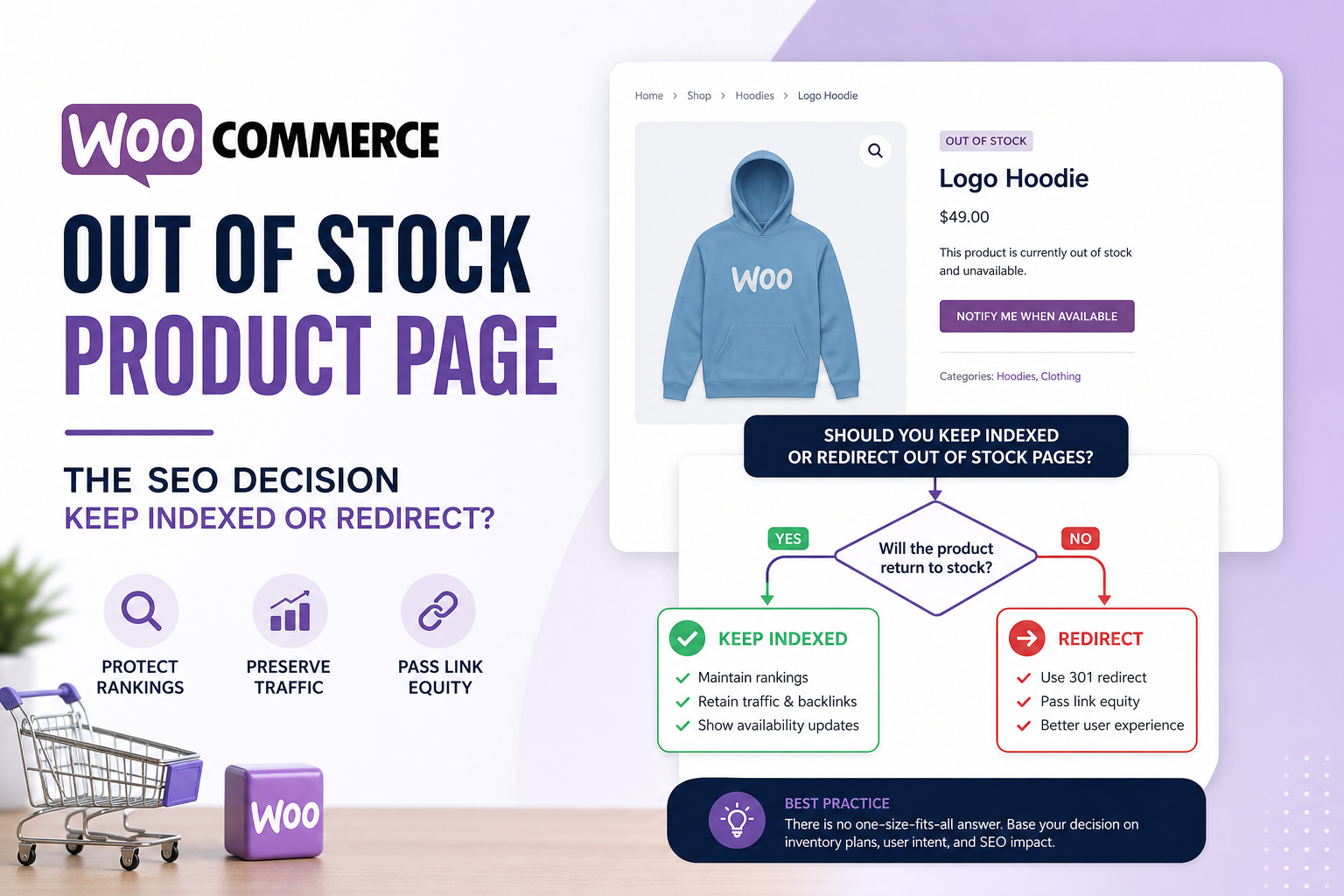
Your bestseller went out of stock. Traffic still hits the product page — or it doesn’t. Google still shows it — or the listing vanished. What’s the “SEO correct” move?
There isn’t one answer for every SKU. Temporary supplier delay vs discontinued forever vs seasonal item that returns next year — each deserves different handling. Get it wrong and you either leak soft 404 signals or kill URLs that earned rankings for years.
Here’s a decision framework for WooCommerce out-of-stock SEO that matches how Google and shoppers actually behave.
What Google Cares About on Product URLs
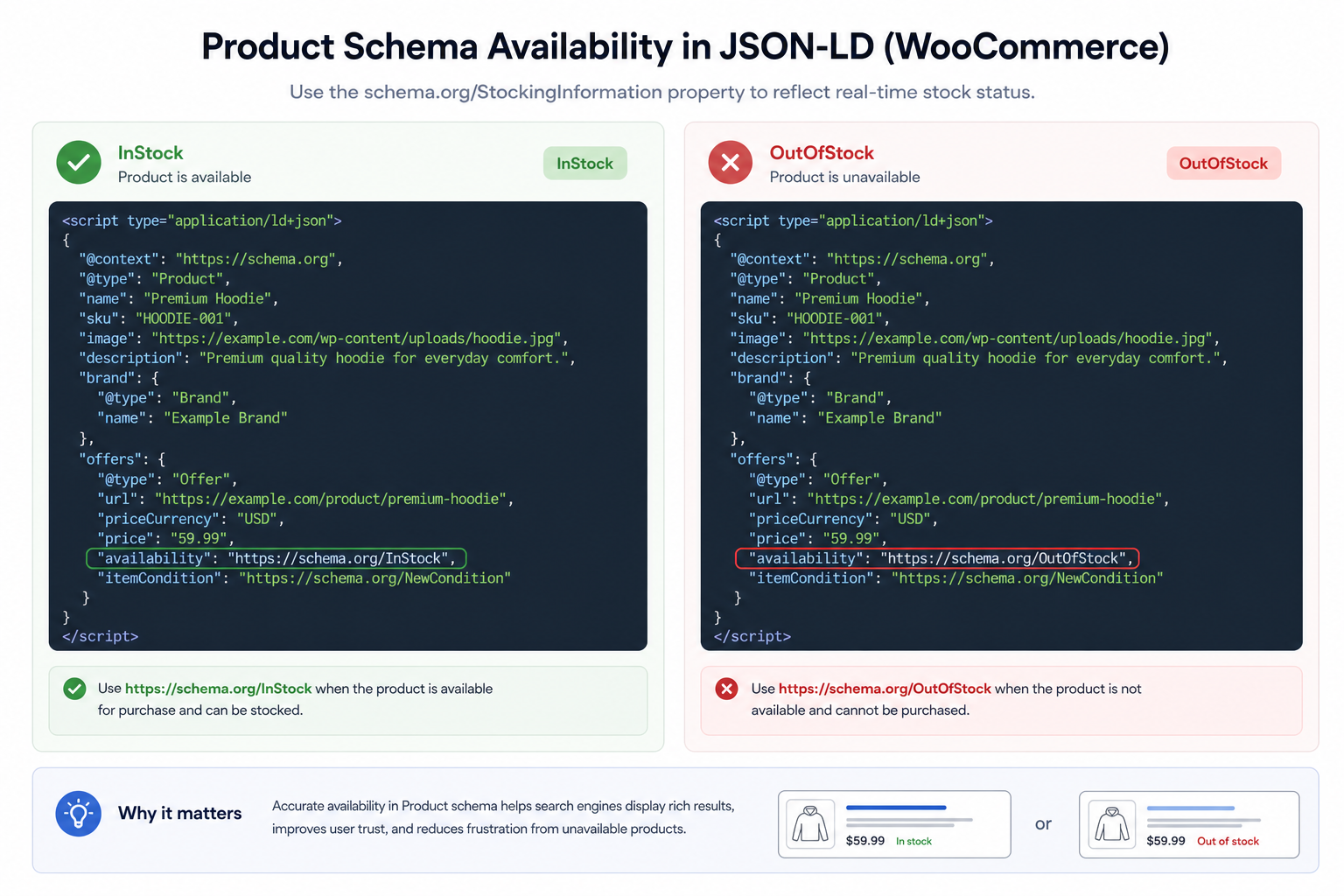
Product pages need useful content, correct availability signals, and honest schema. Out-of-stock isn’t automatically bad — “out of stock” with clear info can still be a valid page if the product returns.
Problems start when the page looks abandoned: empty description, wrong schema InStock, no alternatives, zero internal links. That drifts toward soft 404 territory.
Scenario 1: Temporary Out of Stock (Coming Back)
Recommendation: Keep indexed.
- Show clear out-of-stock message + expected restock if known
- Enable backorders or “notify me” if business supports it
- Schema availability: OutOfStock (not InStock)
- Link to related in-stock alternatives on same page
- Don’t noindex — you’ll fight to regain rankings when stock returns
Update product schema after every stock change — schema mistakes guide.
Scenario 2: Seasonal Product (Returns Predictably)
Keep indexed off-season with honest copy: “Available again March.” Archive traffic matters for branded searches. Consider email capture for restock alerts.
Optional: reduce internal link prominence off-season without noindex — homepage features swap to in-season items.
Scenario 3: Discontinued Permanently (No Replacement)
Recommendation: 301 redirect to closest live product or category — not homepage spam.
If no relevant target exists, 410/404 after transition period. Noindex during transition if you must keep page visible for existing customers briefly — then redirect.
Don’t leave discontinued SKUs indexed for years with “out of stock” — wasted crawl, frustrated users, soft 404 risk.
Scenario 4: Discontinued With Successor SKU
301 old product URL to new replacement product. Update internal links sitewide — broken link cleanup patterns apply.
Note redirect on old URL in analytics for 90 days to confirm traffic handoff.
Scenario 5: Variable Product — One Variation Out
Keep parent product indexed. Variation unavailable in UI — don’t create separate indexed URLs per variation unless you have unique content strategy.
Schema reflects default or selected variation availability accurately.
WooCommerce Settings That Affect SEO
- Hide out of stock items from catalog — UX choice; hidden products can still be indexed if URL known. Decide noindex if hiding permanently
- Redirect out of stock to shop plugins — can create soft redirect issues; prefer explicit on-page messaging or 301 to category
- Auto-draft/trash products — ensure redirects before trashing indexed URLs
Noindex Out-of-Stock: When It Makes Sense
Consider noindex when:
- Product permanently gone, no good redirect target, page must stay for order history links
- Low-traffic SKU with no backlinks and no brand searches
- Bulk clearance items never returning — after sale ends
Avoid mass noindex on entire catalog during temporary warehouse issue — recovery is painful.
Internal Linking During Stockouts
Remove out-of-stock products from homepage carousels — fine. Keep contextual links from blog posts if page still useful with alternatives section. Replace links when redirecting to successor product.
Search Console Monitoring
Watch product URLs for:
- Crawled not indexed — thin or duplicate signals
- Soft 404 — empty discontinued pages
- Google-selected canonical on parameter URLs
Pair with product not showing on Google if entire catalog affected.
Quick Decision Table
| Stock status | SEO action |
|---|---|
| Back in weeks | Keep indexed, OutOfStock schema, alternatives |
| Seasonal off | Keep indexed, restock messaging |
| Replaced by new SKU | 301 to successor, fix internal links |
| Dead forever | 301 to category or 404/410 |
| Hidden admin-only page | noindex |
Tools
- Citence Pro — WooCommerce product audits, schema, availability checks in batch
- MiroPage SEO — product copy and meta when relaunching SKUs
The takeaway
WooCommerce out-of-stock SEO: keep indexed when stock returns, fix schema to OutOfStock, show alternatives. Redirect discontinued products to relevant live URLs. Noindex only when permanently dead with no redirect worth. Match action to inventory reality — not one rule for every SKU.