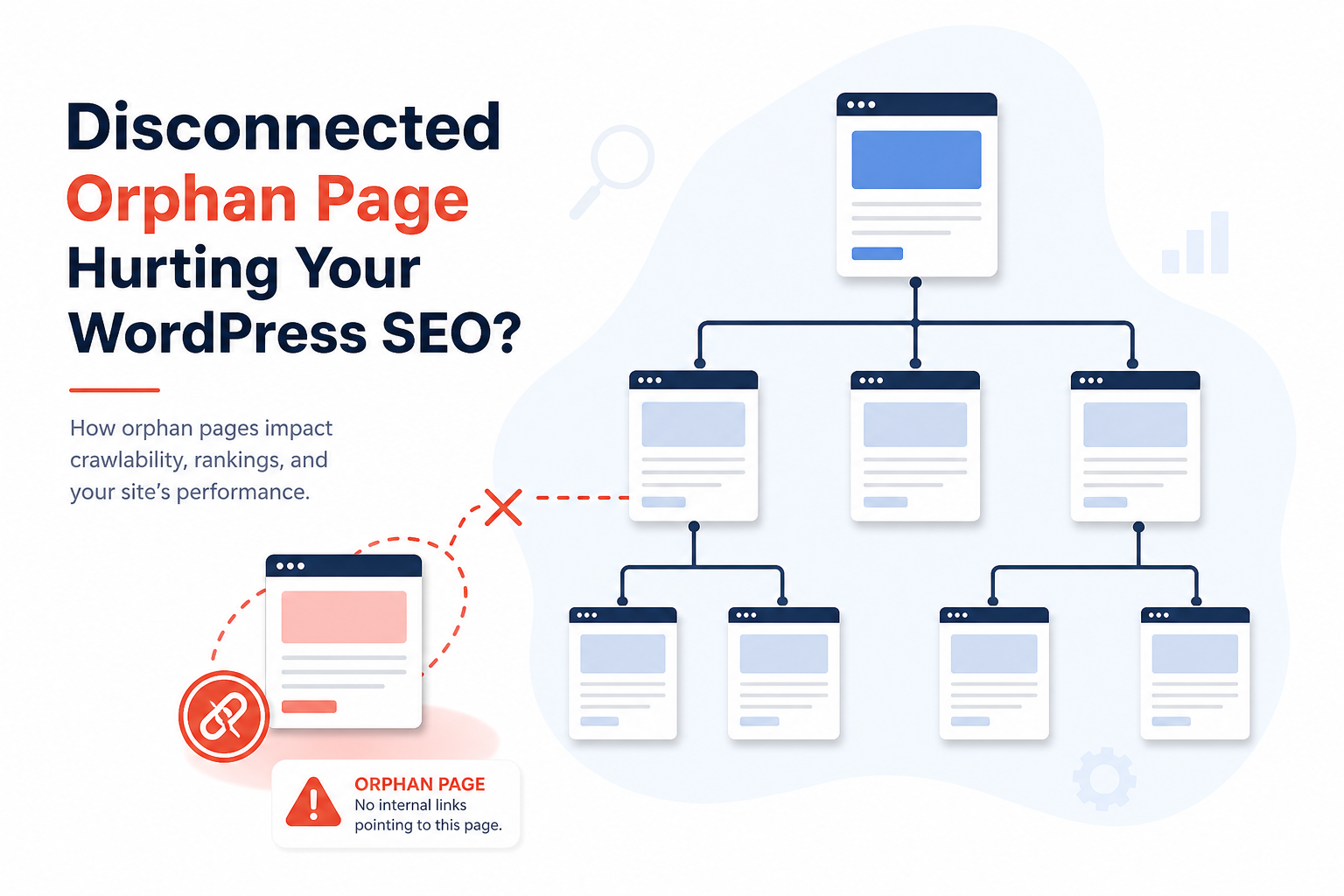
An orphan page is published and in your sitemap — but nothing on your site links to it. No menu item, no in-content link, no related post widget that actually reaches it. Google discovers it only via sitemap, then deprioritizes it forever.
Orphan pages are one of the most overlooked indexing problems on WordPress. You publish a landing page, forget to link it, wonder why it sits in Discovered – currently not indexed for months.
Here’s how to find orphan pages and fix them without linking every URL from the homepage footer.
Why Orphan Pages Hurt SEO
- Weak crawl priority — Google follows links first
- No PageRank flow — even if indexed, they stay weak
- Users can’t find them — traffic dies regardless of rankings
- Sitemap-only discovery — slow or never for low-authority sites
Internal links are editorial votes. Orphans have zero votes.
How Orphan Pages Happen on WordPress
- Landing page published, never added to nav or hub post
- Migration — internal links not updated (migration link guide)
- Bulk import of products/posts without cross-linking
- Noindex removed from old page but still unlinked
- Campaign pages built in page builder, orphaned after promo ends
- PDF or attachment pages indexed accidentally — edge case orphans
How to Find Orphan Pages
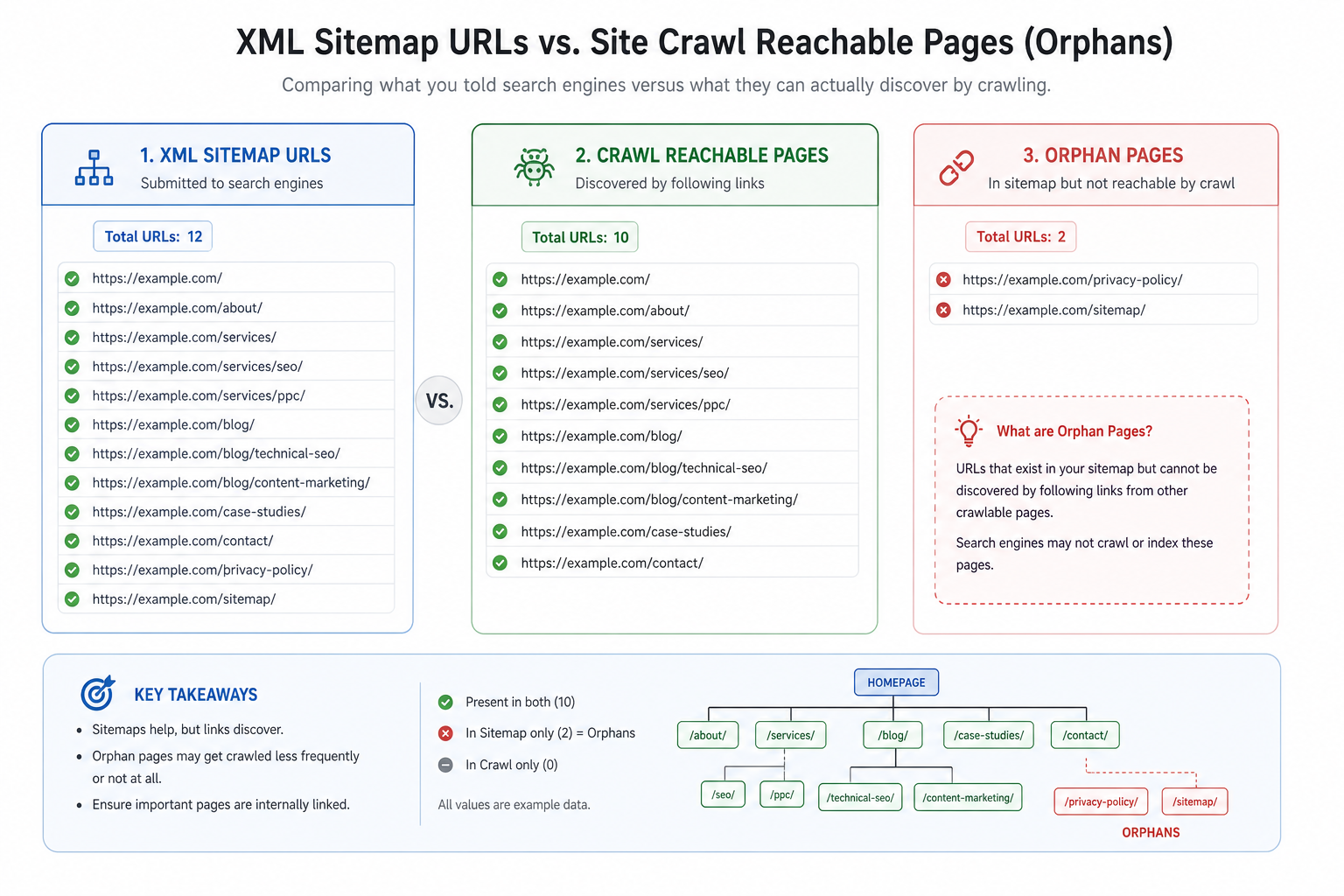
Method 1: Crawl vs sitemap diff
Crawl site with Screaming Frog (or similar). Import XML sitemap URLs. Pages in sitemap but not reachable via internal crawl = orphans.
Method 2: Analytics + Search Console
GSC pages with zero impressions + sitemap listed + no referrals in GA — suspect orphans or pure quality issues.
Method 3: Audit plugins
Citence site audits surface pages with weak or missing internal inbound links when configured for link analysis patterns.
Fix Priority: Which Orphans First
| Priority | Page type |
|---|---|
| P1 | Service/product/money pages |
| P2 | Pillar blog content |
| P3 | Supporting posts in active clusters |
| P4 | Old news, expired campaigns — noindex or delete |
How to Fix Orphans (Best Link Types)
1. Contextual in-content links
Best signal. Add from 2–3 related posts: “See our guide on [orphan topic]” with descriptive anchor.
2. Hub/pillar pages
Build topic hub listing cluster posts — fixes multiple orphans at once. Avoid internal linking mistakes like sidebar-only links.
3. Navigation and footer (selective)
Money pages belong in nav. Don’t footer-link 200 URLs — use hubs instead.
4. Related posts blocks
Ensure blocks actually surface relevant orphans — tag-only matching often misses.
5. HTML sitemap page (users + crawlers)
Optional user-facing sitemap for large sites — secondary discovery aid.
WooCommerce Orphan Products
Products only in database, not linked from category (miscategorized), shop, or content — common on large catalogs. Fix:
- Assign correct categories
- Feature on category pages
- Cross-link related products
- Link from buying guides
Pair with product indexing guide.
When NOT to Link an Orphan
Some orphans should stay dead:
- Thin tag archives — noindex instead of linking
- Expired promo pages — redirect or 404
- Duplicate content — canonical or merge
- Admin/test pages — delete
Maintenance Cadence
- Quarterly crawl vs sitemap orphan check
- Pre-publish rule: no new page without 1 planned inbound link — MiroPage checklist
- After bulk import — orphan report mandatory
Tools
- Citence Pro — scheduled audits catch new orphans after catalog changes
- MiroPage SEO — internal link reminders at publish
The takeaway
WordPress orphan pages are indexable URLs with zero internal links — sitemap alone isn’t enough. Find them with crawl/sitemap diff, fix money pages first with contextual links and hubs, noindex or remove junk orphans. Every publish should include a plan for who links to the new URL.